
Ganesh AI Video: Create a Ganesh Festival Video With Google Flow Using One Prompt
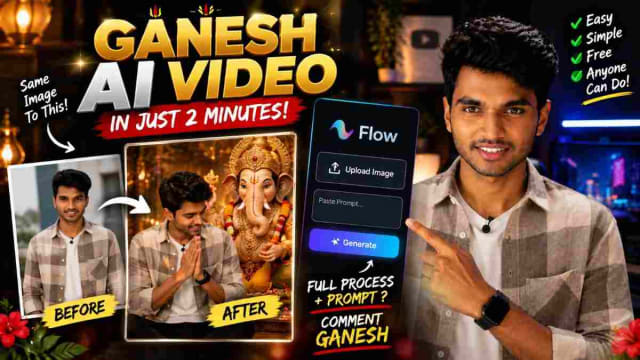
Would you like to make an impressive Ganesh AI video with your photo? With AI video tools such as Google Flow you can bring any creative video idea to life using only your photo as a reference.
Especially with the Ganesh Chaturthi Reels, Vinayaka Chavithi videos, devotional Instagram content, WhatsApp Status videos, and festival-themed AI videos.
What Is a Ganesh AI Video?
A Ganesh AI video is an AI-generated video created with your photo as a reference. Using the AI video prompt below you can create a cinematic devotional scene based on your uploaded photo.
For example, you can upload your photo and use the sample prompt to create a cinematic scene where you are standing or walking next to a Ganesh idol, having a conversation with it.
The AI uses your uploaded image as your reference for generating the scene.
How to Create a Ganesh AI Video
Creating a Ganesh AI video is easy and can be done within minutes using the steps below.
Step 1: Open Google Flow
Open Google Flow, the Google AI video tool, and create a new project using the video generation option.
Step 2: Upload Your Reference Images
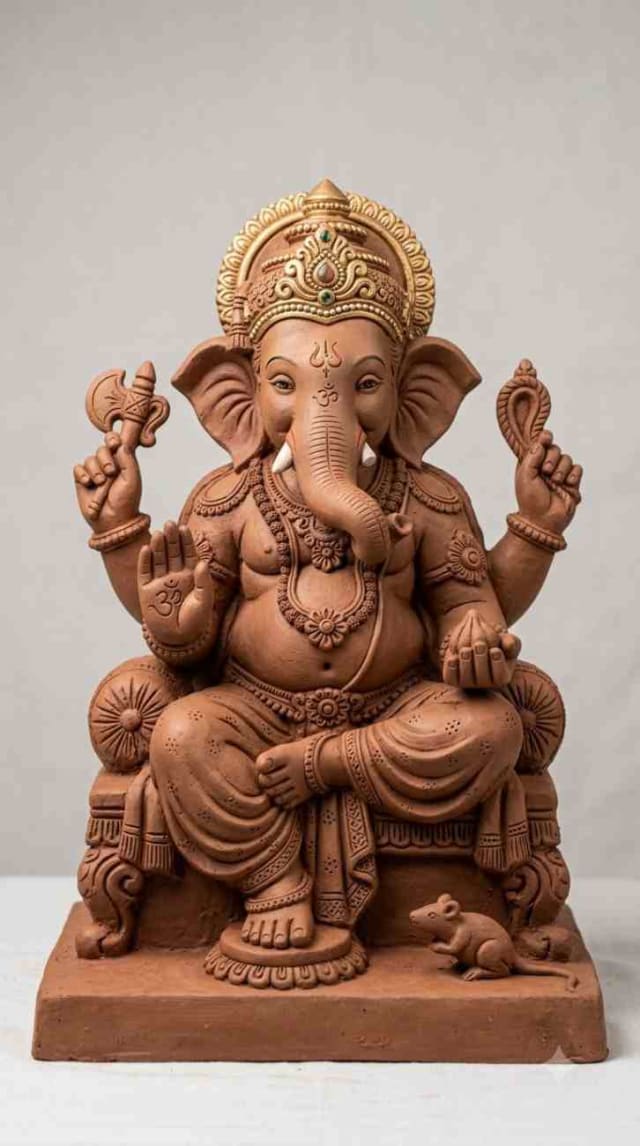
Upload the two reference images: your photo (or the actor’s), and the photo of the Ganesh idol you want to see in the video. It’s best to use photos where the face, clothes, and other elements are clearly visible — the prompt below is specifically designed to utilize and reference both images.
Step 3: Paste the Two-Clip Prompt Below Into Google Flow
A two-clip prompt for an emotional Ganesh Visarjan scene with a clay idol — split into 10-second clips so that Google Flow can generate a longer video. Paste the first clip prompt first, and then use the final frame of the first clip as a reference for the second one.
✨ AI PromptCLIP 1 PROMPT | 0–10 SECONDS Create a highly realistic, cinematic Indian devotional short film scene for Ganesh Visarjan. VIDEO LENGTH: 10 seconds ASPECT RATIO: 9:16 vertical STYLE: Photorealistic, emotional Indian cinematic film, realistic skin texture, natural expressions, warm evening golden-hour lighting. REFERENCE IMAGE LOCK Use the uploaded main person reference image as the exact main character. Preserve his exact face, identity, facial proportions, hairstyle, beard, skin tone, body proportions and clothing. Do not change his face or appearance. Use the uploaded clay Ganesha idol reference as the exact same idol throughout the video. Preserve its identical face, trunk, crown, ornaments, colors, clay texture and proportions. Do not create a different Ganesha idol. SCENE STARTING POSITION A realistic Indian river bridge during Ganesh Visarjan. Around 10 friends are standing together, preparing to immerse the clay Ganesha idol. The main person is holding the exact clay Ganesha idol in both hands. IMPORTANT: From the very first frame, the main person and the clay Ganesha must be positioned side-by-side, facing each other. The main person must be looking directly at the clay Ganesha idol while speaking to it. 0–4 SECONDS | SIDE CAMERA PAN + EMOTIONAL DIALOGUE Cinematic medium side-angle shot, both the main person and idol visible together. Camera slowly pans left to right. The main person looks at the idol with love and sadness, holding it close to his chest and says in emotional Telugu: "గణేశా... నువ్వు మళ్ళీ వస్తావు కదా?" His eyes become emotional, tears slowly forming. 4–6 SECONDS | EMOTIONAL CLOSE-UP Closer side-profile shot. The main person gently touches the idol and says: "నిన్ను పంపించాలంటే చాలా బాధగా ఉంది..." Natural Telugu lip sync, emotional eyes, soft crying expression. 6–8 SECONDS | MAGICAL GANESHA REVEAL A soft divine golden light glows from the idol. The camera pans sideways, revealing a magical divine Lord Ganesha emerging from the exact clay idol, facing the main person. The reveal is gentle and emotional. The original clay idol remains the same physical statue. 8–10 SECONDS | OVER-THE-SHOULDER SHOT Over-the-shoulder shot from behind the main person, showing magical Ganesha. Magical Ganesha begins speaking gently: "నేను ఎక్కడికీ వెళ్లను నాన్నా..." Reverse shot showing the main person’s emotional face. End on magical Ganesha’s peaceful face, ready to continue in Clip 2. CAMERA & CONTINUITY Keep the same main person, same clay idol, same bridge, same 10 friends, same clothing and lighting throughout. No subtitles, no text, no watermark, no logo. Final frame must work as the starting frame of Clip 2.
✨ AI PromptCLIP 2 PROMPT | 10–20 SECONDS Create a highly realistic, cinematic Indian devotional short film continuation from Clip 1. VIDEO LENGTH: 10 seconds ASPECT RATIO: 9:16 vertical STYLE: Photorealistic, emotional Indian devotional cinema, realistic skin texture, natural expressions, warm evening golden-hour lighting. ABSOLUTE REFERENCE & CONTINUITY LOCK Use the exact final frame of Clip 1 as the starting frame. Preserve the main person’s exact facial identity, hairstyle, beard, skin tone, clothing. Preserve the exact same clay Ganesha idol from Clip 1. Same bridge, same 10 friends, same river, same lighting must continue. 0–3 SECONDS | MAGICAL GANESH DIALOGUE Continue from Clip 1’s final frame. Over-the-shoulder shot from behind the main person, showing magical Ganesha speaking with love: "నేను ఎక్కడికీ వెళ్లను నాన్నా... ఎప్పుడూ నీతోనే ఉంటాను." The main person listens silently, tears in his eyes. 3–6 SECONDS | REVERSE OVER-THE-SHOULDER + DIALOGUE Reverse shot showing the main person’s emotional face, listening with devotion. Magical Ganesha continues: "నేను మా అమ్మ దగ్గరకు వెళ్తున్నాను..." The main person nods, emotional. Maintain perfect eye-line between both characters. 6–8 SECONDS | FINAL BLESSING DIALOGUE Cinematic medium close-up of magical Ganesha, raising his hand in blessing: "మా అమ్మను మీ దగ్గరకు పంపిస్తాను. నన్ను ఎలా పూజించారో... అమ్మను కూడా అలాగే పూజించండి." Warm, divine, emotional voice. The main person looks on with tears and devotion. 8–10 SECONDS | MAGICAL DISAPPEARANCE + IMMERSION Magical Ganesha disappears into soft golden light. The original clay idol remains the same physical statue in the main person’s hands. The main person and friends carry it toward the river and immerse it peacefully. End on warm sunset reflection on the water. AUDIO Emotional Telugu dialogue with natural lip sync, soft flute music, subtle divine sound during disappearance, realistic river ambience. No subtitles, no text, no watermark, no logo. ABSOLUTE FINAL REQUIREMENTS Do not change the main person’s face. Do not change the clay Ganesha idol. Maintain exact continuity from Clip 1.
Step 4: Generate the Video
Generate the video using the prompt above. Creating the video might take some time depending on your tool of choice.
My Experience Using This Prompt
I’ve tested the 10-second clip prompt above on a test photo and idol image and was impressed with the results. The reference instructions really helped — the idol’s face and colors were consistent in both clips, which is often a problem with multi-clip AI video editing. The Telugu dialogue had natural lip sync in most parts, but the 6-8 second reveal required regeneration due to slightly off timing in one test run. If you’re on a tight schedule, the 10-second Clip 1 prompt alone will suffice for an emotional Ganesh Reel, but I recommend adding Clip 2 if you have the time.
Why Reference Image?
Using a reference image gives you greater control over the AI video generation. Instead of asking the AI to guess your desired appearance, you give the AI a visual reference of the appearance you want to see in the video. This is especially useful for creating personalized Instagram Reels.
However, keep in mind that the AI might generate variations of your appearance, so you might need to tweak your prompt or experiment with different reference images.
Ganesh AI Video Ideas
Now that you’ve seen how to create a Ganesh AI video let’s explore the different ideas you can try.
1. Ganesh Mandapam Video
Create a video that showcases a beautifully decorated Ganesh mandapam and traditional lighting.
2. Village Ganesh Festival
A village Ganesh festival concept using a local village setting with colorful decorations and traditional elements.
3. Cinematic Ganesh Darshan
A cinematic Ganesh darshan setup with a slow and steady camera movement revealing the Ganesh idol.
4. Night Ganesh Festival
Experiment with night Ganesh festival setups using dramatic lighting and glowing bulbs.
5. Instagram Reel
Finally, create an Instagram Reel using the 9:16 vertical aspect ratio designed for short-form social media content.
Tips and Tricks
Here are some additional tips to help you get the most out of your Ganesh AI video:
Use a Clear Photo
A clear and well-lit photo will yield better results. The more detail the AI can make out in your photo, the easier it will be for the AI to recreate your appearance in the generated video.
Describe the Scene Rather Than the Appearance
Instead of telling the AI what you want to see, describe the environment, lighting, and other elements like in the prompt above. This will allow greater flexibility when it comes to modifying the appearance or layout of your video.
Use a Vertical Ratio for Instagram Reels
When creating content for Instagram Reels use a 9:16 vertical ratio so that your video will be optimized for mobile viewing.
Make Sure the Prompt Is Consistent
If you want the generated video to depict a specific appearance, make sure to tell the AI so, like in the reference image lock instructions above.
Generate Multiple Versions of the Same Prompt
You might need to tweak your prompt or try out different variations in order to achieve the look you want. AI video generation can be unpredictable at times, so it’s best to experiment with different prompts until you get the desired result.
How to Make the Video More Interesting
An engaging Instagram Reel or WhatsApp Status usually has more than just an AI-generated clip. You can enhance your video by adding:
A hook at the beginning
Music or audio
On-screen text
Transitions
A call-to-action (CTA) such as encouraging your viewers to check out this guide if they want to try this out themselves.
For example, you can begin your Instagram Reel with the following text:
"create a Ganesh video,"
Then show the process and tell your viewers to check out this guide if they want to try it themselves.
Is This Useful for Ganesh Chaturthi Content?
Yes, this type of Ganesh AI video concept can be used as a creative template for Ganesh Chaturthi social media content. However, it’s important to note that these are AI-generated images and should not be used as realistic depictions of real people or events.
FAQ
Do I need both a person photo and an idol photo for this prompt?
Yes — the reference image section needs both photos in order to preserve the main person’s appearance and the idol’s appearance.
Can I use only the first clip?
Yes, the first clip is a complete 10-second emotional Reel. The second clip serves as a continuation of the first one depicting a blessing and immersion scene.
Does Google Flow support Telugu?
Yes, the prompt includes Telugu dialogue which Flow will attempt to recreate with natural-sounding lip sync. The quality of lip sync may vary from clip to clip.
Can I change the language of the dialogue?
Yes, simply replace the Telugu script with your preferred language while keeping the scene descriptions and camera directions intact. The dialogue itself can be changed as well.
Related Reading
1-Ganesh AI Video Prompt: Create Ganesh Video With Your Photo
2-HAI Action Figure Trend: Create AI Videos with ChatGPT & Google Flow
3-150+ AI Prompts for Product Ad Videos *
Final Thoughts
An AI-generated Ganesh video using Google Flow can be a great way to experiment with AI video creation while also preparing content for Ganesh Chaturthi. Using the prompt above you can generate a compelling devotional video for Instagram Reels, YouTube Shorts, and WhatsApp Status. From Ganesh mandapam to village Ganesh festival concepts and cinematic AI videos there are many variations you can explore, all of which depend on your reference images and modifications to the prompt above.
Written by Dinesh — a full-stack developer and content creator testing these AI prompts in real life before sharing them on his blog.
dinxsh7
EditorEditorial contributor researching practical guides, tech discoveries, and curated recommendations for Dinesh Picks.
Continue Reading
Recommended Stories
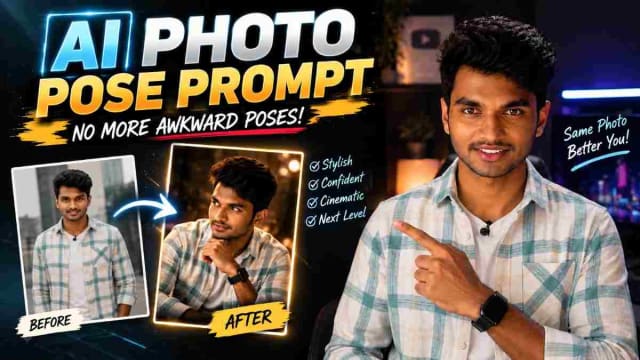
Best AI Photo Pose Prompt: Make Yourself Look Better With Less Posing
Struggling to pose naturally in photos? 📸 An AI photo pose prompt can help transform an ordinary picture into a more stylish and confident-looking image. Simply upload your photo, paste the right prompt, and experiment with different poses, compositions, and photography styles—all without needing professional posing skills.
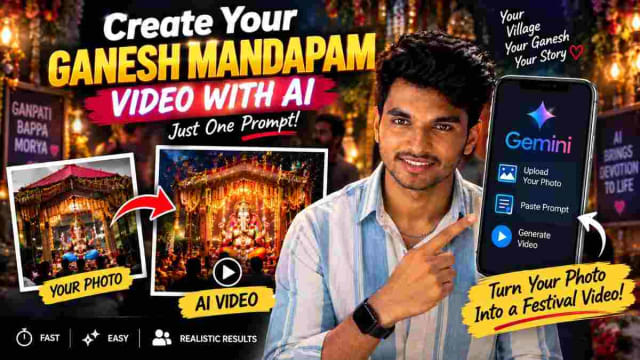
Create Your Ganesh Mandapam AI Video With AI Using One Prompt
Create a stunning Ganesh Mandapam AI video using your own village mandapam photo and a simple AI prompt. Learn how to use Gemini to transform your Ganesh festival image into a creative video and make unique Vinayaka Chavithi content for Instagram Reels, WhatsApp Status and YouTube Shorts.

How to Find Your Future Life Partner With a ChatGPT Numerology Prompt
Curious about your future life partner? 💕 With a simple ChatGPT numerology prompt, you can enter your name and date of birth to generate a fun, personalized prediction about your potential future partner. In this guide, learn how to use the prompt, customize your details, and explore AI-generated relationship insights. This trend is meant for entertainment and should not be treated as a scientifically proven prediction of your actual future.