
Ganesh AI Video Prompt: Create Ganesh Video With Your Photo
SCROLL DOWN FOR PROMPTS
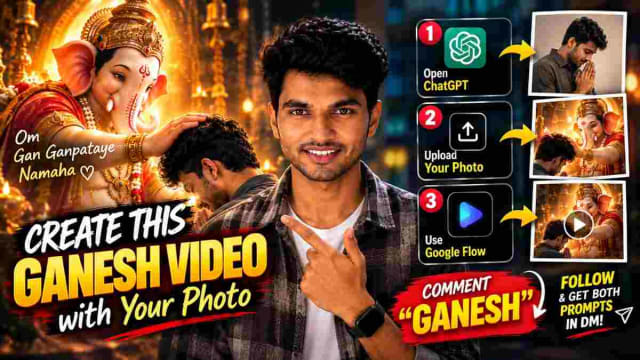
The devotional AI video with one’s photo is a new trend on social media. One can make a creative Ganesh-themed AI video using a photo of one’s choice with the help of ChatGPT and Google Flow. This article explains how to make a Ganesh AI video with one’s photo.
How to Create a Ganesh AI Video With Your Photo
This tutorial suggests a method where one can make a Ganesh AI video with one’s photo by first creating an AI image and later making an AI video with the created image. The following steps explain the process of creating a devotional Ganesh AI video with one’s photo.
Step 1: Open ChatGPT
Open ChatGPT and upload a photo that one wants to include in the AI video. It is better to upload a photo that is taken from the front and has good quality since the AI will have more information to work with when creating the image.
Then, paste the Ganesh image prompt and ask ChatGPT to generate the image.
One can ask ChatGPT to create an image in which Lord Ganesh and the person in the uploaded photo are present in a devotional scene.
Step 2: Generate the AI Image
After pasting the image prompt, ChatGPT can generate an image based on the uploaded photo and the provided image prompt. It is essential to make sure that the uploaded photo is clear so that the AI knows what to include in the image. Moreover, one should be specific with the image prompt so that the AI can generate the desired image.
After generating the image, one can save the image for later use.
Step 3: Open Google Flow
Next, one needs to open Google Flow and create a new project. Then, one can upload the generated AI image and paste the Ganesh AI video prompt.
The video prompt should have instructions about how the video should look. Moreover, one should describe how the camera should move and behave and what cinematic effect the video should have.
Step 4: Create Your Ganesh AI Video
After pasting the video prompt, one can generate the Ganesh AI video. The objective is to generate a short cinematic video based on the AI image with some modifications.
Why Use Ganesh AI Video Prompt?
A Ganesh AI video prompt allows one to create unique devotional videos with the help of simple image and video prompts. One does not need to arrange a photoshoot or go through an elaborate video-production process to make a devotional video. One can generate different AI images and later make different AI videos with various cinematic effects, lighting, and devotional settings by using one photo as a reference.
Moreover, such AI videos can be used as Instagram Reels, WhatsApp Status, YouTube Shorts, etc., depending on the final format.
IMAGE
PROMPT
✨ AI PromptPlease recreate Image 1 (the 'My Friend Ganesha' scene) with the following exact modifications:1. Character Replacement: Replace the boy on the right with the person shown in my uploaded Reference Photo (Image 2). The person must strictly match the face, facial structure, skin tone, hair, and gender/features of Image 2, keeping the same excited, happy, and surprised pose, posture, and facial expression as the boy in Image 1. 2. Animated Bal Ganesha (Do not change): Keep the cute 2D cartoon animated Bal Ganesha on the left exactly identical to Image 1 — wearing the backward red cap, yellow t-shirt, brown cargo shorts, shoes, and holding the same playful gesture and pose. 3. Background & Environment (Do not change): Replicate the exact scene from Marine Drive / sea promenade — blue sky, open sea water, distant city skyline, and the concrete parapet wall with identical lighting and shadows. 4. Style Blend: Maintain the seamless mix of live-action real person and 2D cartoon animated Bal Ganesha, exactly as seen in the original movie scene. High resolution, sharp focus, cinematic framing.
VIDEO
PROMPT
✨ AI PromptA 10-second cinematic Telugu dialogue video. FIRST FRAME MUST BE IDENTICAL TO THE PROVIDED REFERENCE IMAGE. The video starts exactly from the reference image composition, with the man on the right and Bal Ganesha on the left. The man looks affectionately at Bal Ganesha and says in natural Telugu: MAN: “నాకు నీ అవసరం పడితే... మరి నిన్ను ఎలా పిలవాలి?” Bal Ganesha playfully gestures and replies naturally: BAL GANESHA: “నన్ను గుర్తు చేసుకుని... ‘ఓం గం గణపతయే నమః’ అని చెప్పు.” The man curiously repeats: MAN: “ఓం గం గణపతయే నమః?” Bal Ganesha joyfully nods and replies: BAL GANESHA: “అవును! అలా అనగానే... నేను నీ ముందే ప్రత్యక్షమైపోతాను!” Maintain accurate natural Telugu lip-sync for both characters. The man remains photorealistic with the exact facial identity, facial structure, hairstyle, skin tone and overall appearance established by the reference. Bal Ganesha must remain EXACTLY the same 2D cartoon character shown in the first frame. Do not redesign, morph, photorealistically transform or alter Bal Ganesha. Maintain the exact first-frame composition and character positions. The man stays on the RIGHT and Bal Ganesha stays on the LEFT. Natural sea breeze gently moves the man's hair and clothing. Gentle ocean waves continue naturally in the background. The man's expressions should feel affectionate, curious and emotionally warm. Bal Ganesha should have playful, innocent and joyful expressions with subtle natural gestures. Dialogue delivery must feel like a natural Telugu conversation, not robotic or theatrical. AUDIO: Natural ocean waves and soft sea breeze in the background. Keep dialogue voices clear and prominent. Accurate Telugu pronunciation. Precise lip synchronization. No background music overpowering the dialogue. CAMERA: Stable cinematic framing. No camera jumps. No sudden zoom. No unnecessary camera movement. Maintain visual continuity with the first frame. VISUAL QUALITY: 4K cinematic quality. Photorealistic man. Natural realistic skin texture. Stable facial identity. Natural lighting. Realistic sea environment. Bal Ganesha remains exactly the same 2D character from the reference. STRICT NEGATIVE PROMPT: No face change. No face morphing. No identity drift. No different man. No change in hairstyle. No age change. No beautification. No change in man's clothing. No Bal Ganesha redesign. No Bal Ganesha photorealistic transformation. No character replacement. No character duplication. No position swapping. No extra characters. No distorted hands. No extra fingers. No unnatural gestures. No robotic lip-sync. No incorrect Telugu pronunciation. No English dialogue. No Hindi dialogue. No subtitles. No text overlays. No camera jumps. No sudden zoom. No scene change. No flickering. No cartoon transformation of the man. DURATION: EXACTLY 10 SECONDS ASPECT RATIO: SAME AS REFERENCE STYLE: CINEMATIC, NATURAL, EMOTIONAL, DEVOTIONAL
Final Words
A Ganesh AI video with one’s photo can be made in two steps: first, one needs to generate an AI image in ChatGPT and later make an AI video with the generated image in Google Flow. Using these two steps, one can make a devotional Ganesh AI video with one’s photo. In the tutorial, the Ganesh image prompt and Ganesh video prompt were used together to generate the final video. One can create various cinematic Ganesh AI videos by following the same steps.
dinxsh7
EditorEditorial contributor researching practical guides, tech discoveries, and curated recommendations for Dinesh Picks.
Continue Reading
Recommended Stories
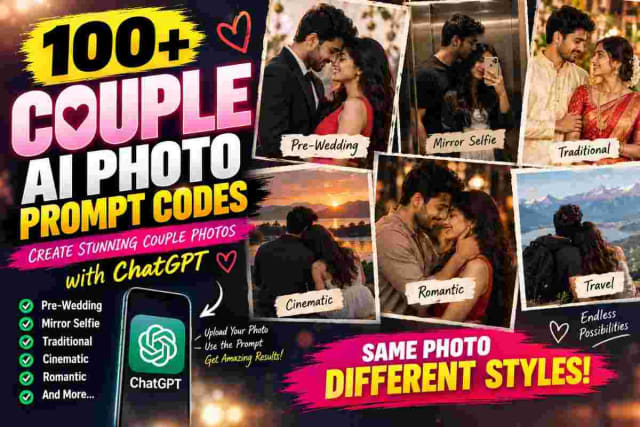
100+ Couple AI Photo Prompts: Best Codes For ChatGPT (Updated)
Create stunning couple photos with AI using these 100+ Couple AI Photo Prompts for ChatGPT. From pre-wedding, romantic, mirror selfies, traditional looks, cinematic portraits, luxury styles, candid moments, and travel photos to creative reference-based concepts, these copy-paste prompt codes make it easy to experiment with different couple photo styles. Upload your photos, choose a prompt code, and create unique AI couple pictures for Instagram, WhatsApp Status, pre-wedding concepts, and more.
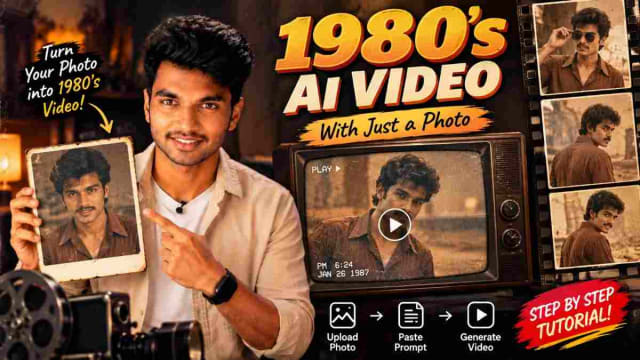
How to Create Trending 1980's AI Video with Google Flow Using Photo
Turn your normal photo into a **realistic 1980s-style AI video** using a simple AI video prompt. Follow the easy step-by-step process to create a cinematic retro video and recreate the classic 80s look with AI.
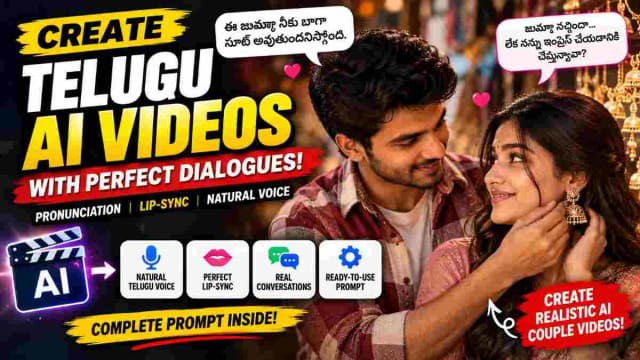
Telugu AI Video Prompt for Natural Dialogue & Perfect Lip Sync
Create realistic Telugu AI videos with natural Telugu pronunciation, conversational voice delivery, and accurate lip-sync. This guide explains how to use a detailed Telugu AI video prompt to create realistic conversations, improve pronunciation, add natural pauses and ensure the correct character's mouth movements match the spoken dialogue.