
Create Your Ganesh Mandapam AI Video With AI Using One Prompt
Create a AI Realistic Ganesh Mandapam Video With One Prompt
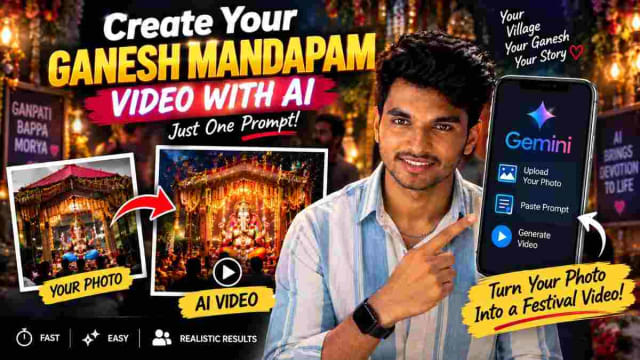
Want to create a unique Ganesh Chaturthi AI video featuring Lord Ganesha in your own village mandapam? With AI tools you can transform a photo of a local Ganesh mandapam into a creative video concept using a simple prompt.
This AI trend is ideal for users wanting to create Vinayaka Chavithi videos, village Ganesh mandapam visuals, devotional reels and festival content for Instagram, WhatsApp and YouTube Shorts.
What Is a Ganesh Mandapam AI Video?
A Ganesh mandapam AI video is a creative video created from an existing photo of a Ganesh idol and surrounding mandapam, with the intention of using your mandapam photo as a visual reference and instructing an AI tool to create a realistic scene to make it seem as if Vigneshwara is present in your village mandapam.
Instead of creating an entirely new scene, you can start with a photograph of your existing Ganesh mandapam and use an AI prompt to guide the generation.
How to Create a Village Ganesh Mandapam AI Video
The process is simple and can be completed using the Gemini app and the prompt below.
Step 1: Open Gemini
First open the Gemini app on your smartphone, and start a new conversation where you'll be able to upload your reference image and provide your instructions.
Step 2: Upload Your Ganesh Mandapam Photo
Take a clear photo of your village's Ganesh mandapam or use an existing photograph from your gallery and upload the image to Gemini.
For better visual results use a clear image where the Ganesh idol, decoration and surrounding mandapam are visible.
Step 3: Copy and Paste This Prompt
Use the prompt below exactly as it is or adjust the bracketed details to match your mandapam.
✨ AI PromptIMAGE 1 — STARTING REFERENCE IMAGE 1 represents the MANDAPAM UNDER CONSTRUCTION. The first frame must match IMAGE 1 exactly. Show the same mandapam construction structure from IMAGE 1: - Pillars being constructed/assembled - Main structural framework - Partially completed arches - Visible construction/decorative framework - Correct pillar positions - Exact proportions and geometry - Same location and perspective - Same architectural design The construction process should happen naturally and progressively. 0:00–0:02 Start EXACTLY from the composition of IMAGE 1. The mandapam pillars and structural framework are being assembled. First, the main pillars become firmly established in their exact positions. Then the upper structural beams and arch framework smoothly assemble piece by piece. Decorative structural elements gradually appear and lock into place. Everything must remain aligned with the architecture shown in IMAGE 1. IMPORTANT: Do NOT turn Image 1 into a completely different mandapam. Do NOT redesign the pillars. Do NOT change the architecture. Do NOT add unrelated decorations. The construction must look like the SAME mandapam shown in Image 1 progressing toward completion. 0:02–0:04 The mandapam construction continues. Additional structural sections, arches and decorative framework are completed naturally. The camera begins a smooth forward dolly movement toward the central entrance of the mandapam. As the camera approaches, the completed decorative interior gradually becomes visible deeper inside. The transition must happen through REAL CAMERA MOVEMENT, not a scene change. 0:04–0:07 The camera physically travels through the newly constructed mandapam entrance. The exterior construction from IMAGE 1 gradually moves behind the camera. As the camera moves forward, reveal the finished decorated interior. Gradually introduce: - Floral decorations - Curtains - Warm festive lights - Diyas - Decorative arches - Golden ambient lighting Everything must visually belong to the SAME mandapam structure from IMAGE 1. No sudden scene transition. No teleportation. No hard cut. 0:07–0:09 Continue the same smooth forward camera movement toward the main sanctum. The completed mandapam from IMAGE 2 gradually comes fully into view. Lord Ganesha becomes visible naturally in the distance. The camera keeps moving forward and progressively matches the exact composition, perspective and framing of IMAGE 2. Only ONE Lord Ganesha idol. No duplicate idol. No alternate version. 0:09–0:10 FINAL FRAME MUST MATCH IMAGE 2 AS CLOSELY AS POSSIBLE. The camera reaches the final position shown in IMAGE 2. Preserve the exact: - Lord Ganesha appearance - Face - Trunk - Crown - Clothing - Jewelry - Garlands - Golden arch - Mandapam decoration - Lighting - Background - Composition Lord Ganesha may have ONLY extremely subtle natural movement: very slight garland movement, gentle fabric movement, subtle diya flame flickering, tiny natural flower movement, soft divine light movement. No major movement from the idol. No change in pose. No face change. No trunk movement. No new ornaments. No redesign. FINAL TRANSITION: IMAGE 1 = MANDAPAM UNDER CONSTRUCTION ↓ PILLARS + STRUCTURAL FRAMEWORK ASSEMBLE ↓ MANDAPAM COMPLETES ↓ CAMERA MOVES INSIDE ↓ DECORATED INTERIOR REVEALS ↓ GANESH MANDAPAM GRADUALLY APPEARS ↓ IMAGE 2 = FINAL COMPLETED GANESH MANDAPAM The entire process must look like one continuous cinematic construction-to-reveal sequence. No scene reset. No hard cut. No teleportation. No duplicate structures. No alternate mandapam. No duplicate Ganesha. No additional idols. The architecture must remain consistent from IMAGE 1 through IMAGE 2.
Replace the bracketed sections with your own preferences before generating.
Step 4: Generate the Result
Once your instructions and image are uploaded start the generation process. Depending on the tool and generation settings it may take some time to produce the result.
The objective is to create a visually engaging AI-generated Ganesh festival video based on your original mandapam photo.
My Experience Using This Prompt
I tested this prompt on a mandapam photo with string lights and marigold decorations. The first generation kept the idol's pose and the decoration colors accurate but the background crowd looked a bit generic, adding "preserve the original background structure" to the prompt on the second try fixed that. If your mandapam has distinctive decorations (a specific backdrop design, banners or colored lighting) mention those details explicitly in the prompt rather than leaving them out - the more specific the description the more your village's actual mandapam shows through in the result.
Why Use Your Own Mandapam Photo?
Using your own photograph makes the concept more personal. Instead of generating a generic Ganesh festival scene your reference image can provide the basis for your specific mandapam. This can make the final content more relevant to your village and community.
You can experiment with different versions of your prompt by changing elements such as:
Camera perspective
Festival atmosphere
Lighting
Decorations
Cinematic style
Background environment
Time of day
Video movement
Ganesh Chaturthi AI Video Ideas
This concept can be expanded into several different types of festival content.
Cinematic Ganesh Mandapam
Create a cinematic-looking scene with dramatic lighting and a detailed festival atmosphere.
Village Festival Scene
Use your local mandapam as the reference and create a wider village celebration environment.
Night-Time Mandapam
Experiment with a night-time festival atmosphere with decorative lights around the mandapam.
Grand Festival Look
Create a visually rich festival scene with decorations, lights and celebratory environment.
Instagram Reel
A short vertical video can be used as a Ganesh Chaturthi Instagram Reel or WhatsApp Status.
Tips for Better AI Results
Use a High-Quality Photo
Start with a clear photograph. Blurry or poorly exposed images may make it harder for the AI system to understand the mandapam structure.
Give Specific Instructions
Instead of simply saying "make a Ganesh video" describe the visual result you want: lighting, camera perspective, atmosphere and overall cinematic appearance.
Preserve the Main Subject
If you want the original mandapam to remain recognizable clearly instruct the AI to use the uploaded image as the primary visual reference.
Try Multiple Versions
AI generation can produce different results from the same prompt. Experiment with variations of your prompt to find one that matches your creative idea.
Important Note About AI-Generated Festival Content
AI-generated images and videos are creative interpretations. The final output may not reproduce every detail from the original photograph.
If you're creating devotional or community-related content, it's also useful to clearly distinguish AI-generated visuals from real photographs or recordings when appropriate.
FAQ
Do I need a paid Gemini subscription to try this?
No - this works with the free tier of the Gemini app. Generation limits may apply depending on your account.
Will the AI change what my Ganesh idol looks like?
The prompt is written to preserve the idol and mandapam as they appear in your photo but minor variations in lighting or background detail are common with AI generation.
Can I use this same prompt for other festivals, like Diwali or Navratri?
Yes - you can swap the festival-specific wording (decorations, atmosphere) to match a different festival while keeping the same overall prompt structure.
Is it okay to post the AI-generated video as if it were a real recording?
It's best to be transparent that the video is AI-generated, especially for devotional content, so viewers aren't misled about what they're seeing.
Related Reading
-
5 Best AI Prompts to Design Ganesh Mandal Banner, Logo, Song & T-Shirts (2026 Guide)
-
How to Create Your Own Ganesh AI Video Using ChatGPT and Google Flow
Final Thoughts
Creating a Ganesh Mandapam AI video can be a creative way to celebrate Ganesh Chaturthi and create personalized festival content. By uploading a photo of your village mandapam to Gemini and using the prompt above, you can experiment with cinematic and realistic visual concepts.
Whether you want to create an AI Ganesh Chaturthi Reel, Vinayaka Chavithi video, village mandapam transformation or devotional social-media post, this workflow provides a simple starting point.
Written by Dinesh - full-stack developer and content creator testing AI prompts for real-world festival and social content. This article reflects hands-on testing of the prompt before publishing.
dinxsh7
EditorEditorial contributor researching practical guides, tech discoveries, and curated recommendations for Dinesh Picks.
Continue Reading
Recommended Stories

How to Find Your Future Life Partner With a ChatGPT Numerology Prompt
Curious about your future life partner? 💕 With a simple ChatGPT numerology prompt, you can enter your name and date of birth to generate a fun, personalized prediction about your potential future partner. In this guide, learn how to use the prompt, customize your details, and explore AI-generated relationship insights. This trend is meant for entertainment and should not be treated as a scientifically proven prediction of your actual future.
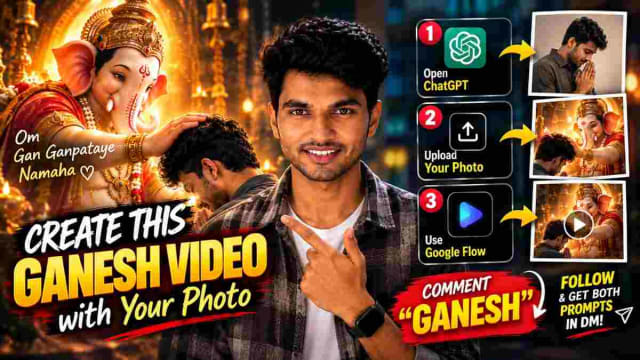
Ganesh AI Video Prompt: Create Ganesh Video With Your Photo
Create a cinematic Ganesh AI video using your own photo with ChatGPT and Google Flow. Follow the step-by-step process to generate a Ganesh AI image and transform it into a video using simple prompts.

100+ Couple AI Photo Prompts: Best Codes For ChatGPT (Updated)
Create stunning couple photos with AI using these 100+ Couple AI Photo Prompts for ChatGPT. From pre-wedding, romantic, mirror selfies, traditional looks, cinematic portraits, luxury styles, candid moments, and travel photos to creative reference-based concepts, these copy-paste prompt codes make it easy to experiment with different couple photo styles. Upload your photos, choose a prompt code, and create unique AI couple pictures for Instagram, WhatsApp Status, pre-wedding concepts, and more.