Google Flow AI: How to Create Cinematic Videos Using Simple Commands Essay

When turning a photo into a video using Google Flow, the movement of the camera has the most significant impact on the final result. A slow push-in will evoke emotions, while a whip pan will add energy to the video. In this guide, I list 20 common camera movements that appear in film-making, give an example of a short prompt for each command, and recommend contexts for using them.
Note: the commands below appear in any film-makers’ dictionary and translate into motion within the Google Flow video. They are not designated as buttons or special tags in the app, and the results vary for different subjects and image qualities. If a certain instruction does not show any effect, rewrite it in natural language (e.g., “the camera slowly moves closer”).
How to Add Camera Movement Command to Google Flow
Step 1: Launch the App and Create a New Project
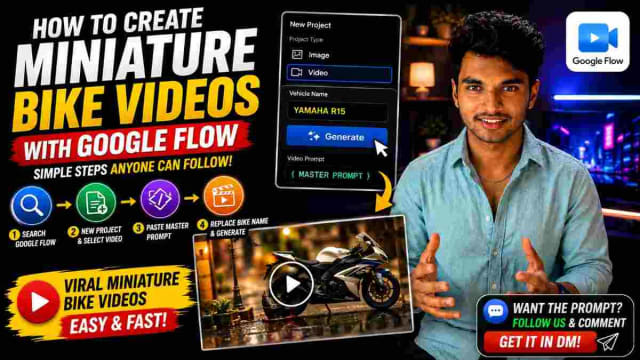
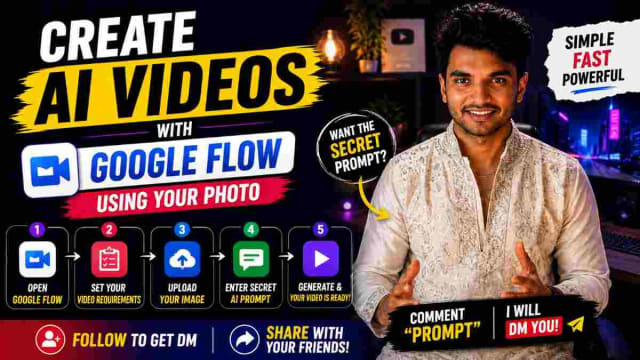
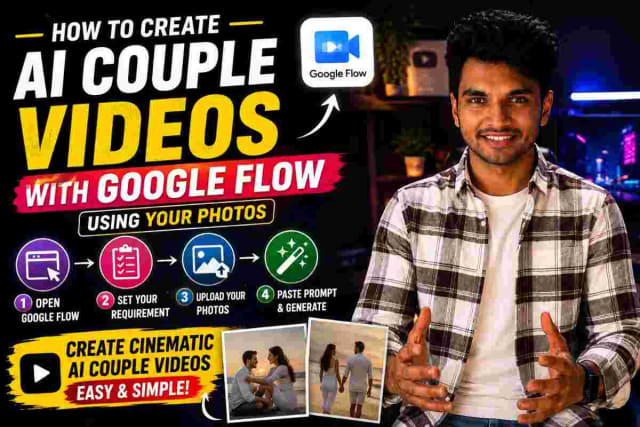
Open Google Flow on your device and head to the New Project section. Upload the image you want to turn into a video and choose the Video option.
Step 2: Write a Prompt
Use a simple wording to describe the subject: [who/what is the video about] [what is it doing]. Add a camera command: [how the camera should move] and a brief description of the desired quality of light and mood. Finally, add the following note: Keep the face and outfit the same. No distortion, no text. Avoid adding extra context or discussing irrelevant details. For example, if you want to create a clip out of a picture of a man cooking, describe the subject (a man, 30s, in a white t-shirt), his actions (chopping some vegetables), and the mood (home-made, cozy). The commands will be added later in this step, and the aspect ratio will be chosen in the next step.
Step 3: Choose the Aspect Ratio
Choose 9:16 ratio for Reels and Shorts or 16:9 for landscape videos and generate the first result. Once the preview is ready, use the regeneration button to explore the options. It is recommended to try out several variations before proceeding to the next step.
Movements That Bring Camera Closer or Further
1. Dolly In
Dolly in is a slow camera movement toward the subject to focus on a particular detail. Example: “A woman looks out of the window. Slow dolly in toward her face. Soft morning light.” Recommended for: emotionally charged scenes
2. Dolly Out
This camera movement is the opposite of Dolly In: the camera moves away from the subject to reveal a larger scene. Example: “A man sits on the step of the temple. Slow dolly out to show the empty courtyard.” Recommended for: loneliness, scale
3. Push-In
A Push-In is a quick camera movement that brings the whole frame closer to the subject. Push-In is often used at the end of the video to engage the viewer. Example: “The couple is smiling at the camera. Subtle push-in on their faces.” Recommended for: weddings and couples’ videos
4. Pull Back Reveal
The camera pulls back from the subject to disclose a bigger picture. Example: “Tightly framed shot of the diya flame; pull back to reveal the decorated pooja room.” Recommended for: festivals
5. Zoom In / Zoom Out
Zoom is a type of dolly movement, except the camera lens changes the focal length instead of moving the whole camera. Zooms are generally not recommended in videography because they create an uncinematic effect. Example: “Slow zoom-in on the bowl of biryani.” Recommended for: food and product close-ups
Movements That Move the Camera Up, Down, or Around
6. Crane Up
Crane up is a steady movement upward to capture a larger scene. Example: “People are standing in the field. Crane up to see the whole valley.” Recommended for: landscapes
7. Crane Down
A crane down shot is the reverse of a crane-up shot; the camera looks down. Example: “Crane down from the sky to the woman at the edge of the lake.” Recommended for: openings
8. Orbit (Arc Shot)
An orbit shot involves the camera circling the subject. Example: “A sculpture on the table. Slow orbit around it. Notice the side lighting.” Recommended for: showcasing products and sculptures
9. Tilt Up / Tilt Down
The tilt-up/down camera movement is used when the operator keeps the camera in one place but tilts the view up or down to see above or below the subject. Example: “Tilt up from the man’s shoes to his face. He is dressed in a suit.” Recommended for: showcasing clothes and tall objects
10. Pedestal Up / Down
The entire camera moves up or down instead of swinging or tilting. Example: “The camera slowly rises alongside the gopuram.” Recommended for: buildings
Left-Right Camera Movements
11. Pan Left / Pan Right
A pan is a rotation of the camera on a horizontal axis. Example: “Slow pan right to show the market.” Recommended for: revealing the location
12. Truck Left / Truck Right
The truck camera movement involves moving the whole camera left or right while looking in the same direction. Example: “The camera trucks left alongside the girl walking on the beach.” Recommended for: following a person or a vehicle
13. Tracking Shot (Dolly Tracking)
This camera movement follows the subject as it moves from one point to another. Example: “The girl is riding a bicycle. Tracking shot from the side.” Recommended for: tracking a person or a vehicle
14. Whip Pan
The whip pan is a fast camera movement that makes the image blurry. Example: “A fast whip pan from the stage to the audience.” Recommended for: transitioning between unrelated shots and trailers
Changing the Focus or Speed of the Shot
15. Rack Focus
A rack focus is a change in focus from one object to another (e.g., from a flower in the foreground to a person’s eyes). Example: “Focus changes from the lotus in the foreground to her eyes.” Recommended for: beauty and dramatic videos
16. Hyperlapse
A hyperlapse is a form of time-lapse photography that makes the camera move as well to give the shot a more dynamic look. Example: “Hyperlapse down the lit street at night.” Recommended for: city scapes
17. Slow Motion
Slow-motion is a technique that makes the video several times longer than the actual moment. Example: “The petals are falling slowly around her.” Recommended for: festive occasions
Style of the Camera Movement
18. Handheld
The handheld technique is when the camera is shaky to imitate the movement of a human holding it. Example: “Handheld camera follows the street vendor.” Recommended for: documentaries
19. Drone / Aerial Shot
An aerial shot is a camera movement that mimics the flight of a drone or an airplane. Example: “Aerial drone shot over the coastal town at sunrise.” Recommended for: landscapes
20. Static Shot
A static shot is when the camera is fixed in one place; it does not rotate, move, or tilt. Example: “Static shot. A candle’s flame flickers beside the face.” Recommended for: calm and quiet moments
Commands Table: Camera Movement in Google Flow
Command What the Camera Does Feeling Dolly In the camera moves toward the subject intimate, focused Dolly Out the camera moves away revealing Crane Up the camera looks up grand Orbit the camera rotates around the subject showcasing Whip Pan the camera whips left/right energetic Rack Focus the camera changes focus from one object to another dramatic Hyperlapse the camera moves and time-lapses fast, busy Handheld the camera imitates the hand shaking realistic
Multiple Commands
It is recommended to use one command per 5-10 second video. If the user adds three motion types in one prompt, the result will appear ‘busy’ and unclear. To create a montage, generate several video clips and manually stitch them together (e.g., dolly in + crane up + whip pan).
Common Errors
• combining several camera movements in one clip; • not describing what the subject is doing in the video; • using a blurry or small photo (the video quality will be low); • not checking the generated video for facial and body distortions; • forgetting to add the note about the face and outfit.
My Experience and Recommendations
Adding one camera movement command to the Google Flow prompt made my videos look more cinematic and less chaotic. The commands that produced the most consistent results were dolly in and push-in: the face remained large enough, and the motion was easy to control. On the contrary, whip pan and hyperlapse required multiple attempts to get a satisfactory result because the movement made the subject’s face blurry or distorted. This is why I started using fast movements as transitions between video clips. If a command did not work, I simply replaced it with a sentence in plain language (e.g., ‘the camera slowly moves closer’).
FAQs
Are these commands officially recognized by Google?
These commands are film-making terms used worldwide by video directors. However, you will not find a separate ‘Dolly In’ button in the Google Flow interface; instead, use the description words. The result may vary depending on context, subject, and lighting.
What is the difference between dolly in and zoom in?
Dolly In changes the position of the camera, while Zoom changes the properties of the camera lens.
What is the easiest movement for beginners?
I recommend push-in or slow dolly-in because the motion is not too strong and allows the face of the subject to stay large enough.
Can I use multiple movement commands?
You can, but one motion per video clip is enough. If you want to create a video montage, generate several video clips and manually stitch them together, for example, Dolly In + Crane Up + Whip Pan.
Can I use any photo for this?
Sharp images with a simple background produce the best results.
Is Google Flow free to use?
Google Flow is available on a regional basis, and the credits are calculated differently depending on the user’s subscription. The final price will be shown on the screen before confirming the video generation.
Optional Download
If you want to print this guide, you can download the PDF here:DOWNLOAD. All information in this article is included in the downloadable file; therefore, this page is not necessary if you have already downloaded the PDF.
Related Articles
• Google Flow Photo-to-AI-Video Mobile Guide • How to Make Viral Miniature Bike Videos With Google Flow • Cinematic AI Couple Video With Google Flow
Conclusion
Google Flow Camera Movement: 20 Commands With Examples concludes that the motion of the camera is the most critical factor for creating a cinematic video. To choose the right command, consider how the camera should move (up, down, left, right, or around the subject) and what the subject is doing in the video (e.g., walking, running, cooking, singing). Do not forget to describe the general idea and mood (e.g., a happy couple singing a romantic song). A simple wording without unnecessary adjectives and adverbs will yield the best results. Always analyze the first few video samples generated by the Google Flow AI to identify patterns.
Written by Dinesh, full-stack developer and writer interested in AI.

Continue Reading