
How to Make Viral-Style AI Miniature Video With One Photo
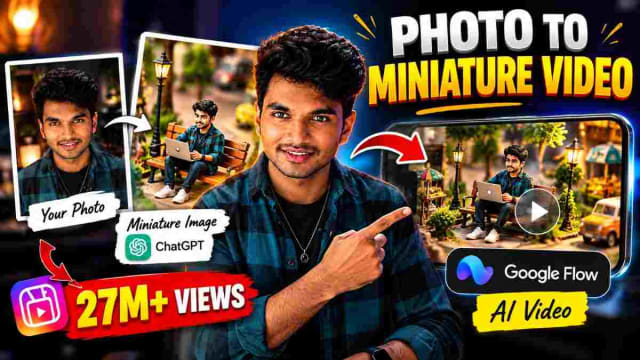
Here's how you could make a cute little miniature video somehow out of a regular photo.
Two steps needed to make AI miniature video: first, we had to make a miniature version of our photo, and second, we had to animate that image into a video. Here's how we did the former in our example of a little character getting her hair washed on a giant human hand, which you can use as a template for your own miniature video.
Perfect for Instagram Reels, Shorts, creative portraits, fashion, and experimental AI video.
Why is it interesting to make miniature videos?
Miniature-style videos have a certain charm that comes with taking regular images and turning them into some kind of a miniature cinematic scene. Instead of animating your original photo, you can create a miniature image out of it and animate that.
The general idea is as follows:
Your Photo → Miniature Image → AI video → Your Reel
What you need
A good photo
ChatGPT to make the miniature image out of it
Google Flow to make a video out of the image
The miniature image prompt (below)
The video prompt (below)
Step 1: making your miniature image in ChatGPT
Upload the photo you want to work with to ChatGPT and ask it to generate an image out of the following prompt:
✨ AI PromptUse the uploaded photo as the identity reference and create a highly detailed, adorable, photorealistic 3D animated miniature version of the exact person. IDENTITY: Preserve the person's recognizable face, skin tone, hairstyle, hair texture, age appearance, and facial features. Keep their identity recognizable. Transform them into a tiny stylized 3D character with realistic facial details, expressive eyes, and cute miniature proportions. Do not create a random person. POSE AND OUTFIT: Show the character standing upright, full body visible, with both hands resting on their hips and a slightly grumpy, funny facial expression. Preserve the outfit from the uploaded photo as closely as possible. ENVIRONMENT: The tiny character is standing barefoot on the center of an enormous realistic human palm. The palm fills most of the lower and middle foreground. The character is extremely small compared with the fingers. A second giant human hand enters from the top of the frame, holding a small amount of fluffy white shampoo foam just above the character's head, ready to wash their hair. COMPOSITION: Vertical 9:16 image. Full-body miniature character centered in the frame, with enough empty space above the head for the incoming foam and enough space on the side for a large sponge to enter later. Keep the entire character and supporting palm visible. VISUAL STYLE: Premium cute 3D animation, realistic human hands with detailed skin texture, soft natural lighting, cinematic macro photography, shallow depth of field, subtle ambient shadows, clean light-grey background, beautifully detailed hair and clothing, charming expressive face, polished animated-film quality. IMPORTANT: This is the opening frame of a video that will continue with shampoo foam being applied and a sponge washing the character's hair. Make the pose, lighting, scale, character design, and camera composition suitable for smooth image-to-video animation. No text, no captions, no watermark, no collage, no multiple panels, no extra characters. Generate one single finished image.
Once you're happy with how the character looks (make sure that the face and the clothes are preserved), proceed to the next step.
Step 2: open Google Flow and upload your miniature image
With the miniature image ready, open Google Flow, start a new project, and upload the image you've created as the starting point for your video.
Step 3: use the following full video prompt
✨ AI PromptCreate a highly detailed, adorable, cinematic 3D animated miniature hair-washing video using the uploaded reference image as the exact first frame and the only identity reference for the main character. ABSOLUTE CHARACTER AND FACE IDENTITY LOCK: Preserve the exact identity of the person in the reference image throughout the entire video. The face must remain consistent in every frame, including the exact facial structure, eyes, eyebrows, nose, lips, cheeks, skin tone, age appearance, and recognizable features. Do not regenerate, redesign, beautify, morph, or replace the face. No face swapping or identity drift. Only natural facial expressions and blinking are allowed. Preserve the same outfit, body proportions, hairstyle color, natural hairline, and miniature character design. The character must remain the same person from the first frame to the final frame. SCENE AND ENVIRONMENT: The tiny 3D animated character stands on the center of an enormous realistic human palm. The character is extremely small compared with the giant fingers. A second giant human hand performs the complete hair-washing and styling routine. Maintain the same palm, background, lighting, camera angle, and character scale throughout the video. SCENE 1 — APPLY SHAMPOO FOAM (0–2 SECONDS): A giant human hand enters gently from above with thick, fluffy white shampoo foam on its fingertip. The fingertip carefully places the foam directly onto the tiny character's head, covering the top of the hair. The character looks slightly grumpy and confused, with both hands on their hips. The white foam visibly settles onto the hair. Preserve the exact face and facial proportions. SCENE 2 — MASSAGE THE SHAMPOO (2–4 SECONDS): The giant fingertips gently massage the shampoo foam into the character's scalp using small, circular movements. The white foam spreads over the top and sides of the hair, producing a rich lather. The character briefly closes their eyes, scrunches their face adorably, and shows a funny, mildly annoyed expression. The face must return naturally to its original appearance when the eyes open. Keep the character balanced on the same palm. SCENE 3 — RINSE WITH WATER (4–6 SECONDS): The fingers move away. A gentle, continuous stream of clean water flows from above directly over the character's foamy head. The water rinses away the white shampoo lather, flowing down the hair and onto the giant palm. The foam gradually disappears, leaving the hair completely wet, darker, and slicked down. Show realistic water droplets and small splashes. The character closes their eyes naturally while water flows over the head. Do not distort the face. SCENE 4 — DRY WITH A TOWEL (6–8 SECONDS): The water stops completely. A large, soft, clean white towel enters from the right side. The giant hand gently pats and presses the towel against the character's wet hair, dabbing the top and sides to absorb excess water. The towel moves naturally without covering or touching the character's face. The towel then moves away, revealing damp hair. Keep the character's identity and facial features unchanged. SCENE 5 — BLOW-DRY THE HAIR (8–10 SECONDS): A small black handheld hairdryer held by the giant hand enters from the upper left. It is aimed at the character's damp hair from a safe distance. Gentle airflow makes the hair strands move naturally backward and sway softly from side to side. The hair gradually becomes dry, fluffy, soft, voluminous, and smooth. Show believable airflow and individual strands responding naturally. The hairdryer must not distort the face or change the character's hairstyle color, hairline, or natural hair length. SCENE 6 — BEAUTIFUL FINAL HAIR STYLING (10–12 SECONDS): The hairdryer exits the frame completely. A giant hand enters from above holding a small comb. The fingers gently lift the roots to create volume, then the comb carefully sweeps the front hair slightly to one side. The hand neatly arranges the front strands, smooths the sides, removes stray strands, and gives the hair a stylish, polished finish. The final hairstyle must look exceptionally neat, attractive, fluffy, healthy, and professionally blow-dried, with natural shine, realistic individual strands, and beautiful volume. Preserve the character's original hair color, hair length, texture, and natural hairline. Do not create a bun, ponytail, or completely different haircut. During final styling, the character stays still and balanced on the palm. The hand touches only the hair and never covers the face. Once the styling is complete, the hand and comb move out of the frame. The character looks directly at the camera with the same recognizable face, opens their eyes naturally, and gives a cute, confident smile. End with the beautifully styled hair clearly visible. VISUAL STYLE: Premium cute 3D animated-film quality combined with photorealistic macro photography. Realistic giant human hands, detailed skin texture, fluffy shampoo foam, physically believable water, soft towel fabric, realistic airflow, individually rendered hair strands, expressive but consistent facial animation, cinematic soft lighting, shallow depth of field, natural shadows, and smooth motion. CAMERA AND COMPOSITION: Vertical 9:16 video suitable for Instagram Reels and YouTube Shorts. Use a fixed, stable macro camera. Keep the entire miniature character and supporting palm visible and centered. Preserve the same camera angle, background, lighting, and framing throughout the video. No sudden zooms, no camera shake, and no unnecessary cuts. All six actions must flow naturally into one continuous sequence. STRICT CONSISTENCY RULES: The uploaded image is the exact starting frame. Never change the character's face, identity, skin tone, facial proportions, outfit, body size, or recognizable features. Do not duplicate the character. Do not make the character float or leave the palm. The character must not transform into another person. Maintain consistent hands, character scale, and environment. The hair must transition logically from foamy to wet, then towel-dried, blow-dried, and finally styled. STRICT NEGATIVE INSTRUCTIONS: No face morphing, no identity drift, no facial distortion, no changing eyes, nose, lips, or jawline, no skin-tone changes, no random character replacement, no extra characters, no sponge, no bun, no ponytail, no sudden hairstyle transformation, no dialogue, no subtitles, no on-screen text, no logos, and no watermark. FINAL RESULT: A cute, funny, polished miniature hair-washing animation showing the complete routine in this exact order: apply shampoo foam, massage the foam, rinse thoroughly with water, pat dry with a towel, blow-dry the hair, and finish by beautifully styling the hair with a comb and fingers. The final character must have a gorgeous, neatly styled hairstyle and exactly the same recognizable face as in the original reference image.
Step 4: select image-to-video and generate
Having selected Image in Google Flow, use the miniature image generated in ChatGPT as the reference for your video, and select the option to generate a video. When making a reel, remember to set the aspect ratio to 9:16 in Google Flow. When you're done, hit Generate.
The full workflow
Photo → ChatGPT miniature image → Google Flow → AI miniature video
My notes on this workflow
The image generation part (step 1) can take some time and effort to perfect, but I found the face and the clothes to be generally well-preserved upon regeneration, whereas the pose ("hands on hips, slightly grumpy") occasionally had to be regenerated to avoid stiffness. On the video generation front, scenes 1-3 (foam, massage, rinse) were generally the easiest to achieve, with water and foam being more easily animated than later scenes. Scene 5 (blow-drying) was the hardest in my experience, as the airflow from the hair dryer often ended up looking too strong, causing the character's hair to move unrealistically fast; I've found that regenerating only scene 5 with the note "gentle, slow airflow" instead of the default prompt often helped in such cases, rather than having to regenerate the whole video.
How to get better results
Use a good photo. Try to use a good, well-lit photo when possible, as it will help the AI to preserve the details in the generated image.
Preserve the subject. If you want to preserve the subject (clothes, hairstyle, etc.), make sure to specifically mention them, as in the "identity-lock" part of the prompt above.
Don't overcomplicate the video prompt. Keep the prompt descriptive but not overly complicated; dividing the actions into scenes (as in the prompt above) helps, but having too many complex actions per scene will make the result less consistent.
Keep the miniature aesthetic. Keeping the miniature aesthetic is important, so make sure to specifically mention the miniature elements, palm trees, and the overall small scale at each step, lest the character end up being disproportionately large at some point in the animation.
What else can be made with this technique
This technique is not limited to the specific example of the character getting her hair washed. Using the same two-step process (make a miniature image out of a photo, then animate it with Google Flow), you can animate:
Creative portraits
Fashion photography
Personal photos
House interiors
Lifestyle photography
Product photography
Cinematic photos
Instagram Reels
General AI video experiments
FAQ
Do I need both ChatGPT and Google Flow for this, or can I skip one?
Both are needed, as each contributes a unique part to the creation of the miniature video. Using ChatGPT, you can generate a consistent miniature image of your character, whereas with Google Flow, you can animate it, bringing it to life. You cannot recreate the look of a miniature without ChatGPT or the animation without Google Flow.
Can the routine be changed, or is the hair-washing scene the only option?
It can be changed; just follow the general rules of keeping the subject consistent and dividing the actions into scenes as described in the article. The six numbered parts in the prompt correspond to the six parts of the routine, so you can substitute them for whatever you want to show in your video.
Why is "preserve identity" mentioned so many times in the prompt?
This is because repeating the phrase helps to keep the character consistent throughout the video. In longer videos, the AI might fail to recognize the subject as the same character if you mention it only once, especially if they change their clothes or hairstyle in the middle of the video.
What is the most common issue with this prompt?
Unnatural, fast movements around the face are the most common issue, especially in the blow-drying part (scene 5). As mentioned above, regenerating only the problematic scene might be more efficient than trying to fix the whole video.
Final thoughts
You don't have to make a miniature video all by yourself. Take one regular photo, turn it into a miniature image, then turn that image into an animated cinematic video using the prompts mentioned above.
Written by Dinesh — full-stack developer and content creator testing out various prompts for AI image and video generation. The article contains my findings on prompt engineering for both ChatGPT and Google Flow after actually testing them out.
DINESH
Lead EditorEditorial expert testing, curating, and documenting the best AI tools, gadgets, creative setups, and lifestyle gear in India.
Continue Reading
Recommended Stories
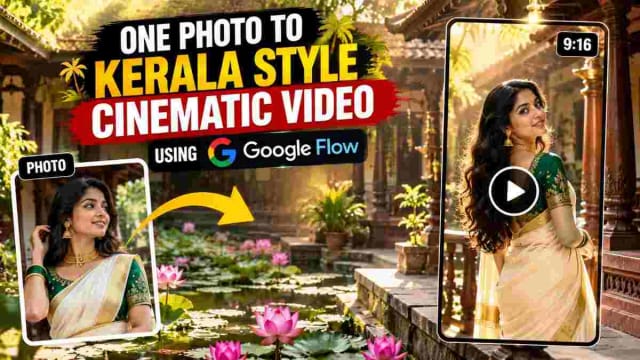
How to Make a Kerala Style Cinematic Lotus Pond Video From One Photo Using Google Flow
Can one photo become a cinematic lotus pond video? Here's my 3-part Google Flow prompt workflow, with tips and honest testing notes.
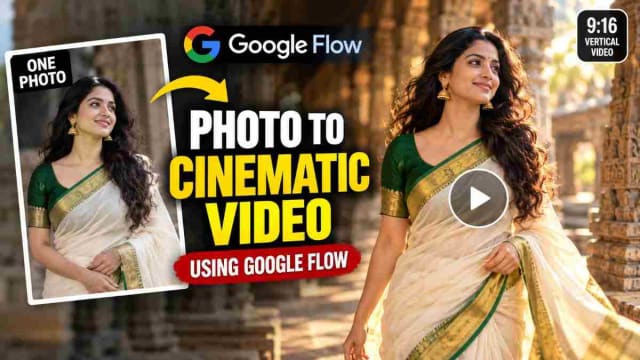
How to Use One Photo to Create Cinematic Short Vertical Video Using Google Flow
Can one ordinary photo become a cinematic video without any filming? In this guide, I share my Google Flow workflow, the exact prompt structure, and the mistakes to avoid.
Turn a Photo Into an AI Video With Google Flow, Step-by-Step on Your Mobile
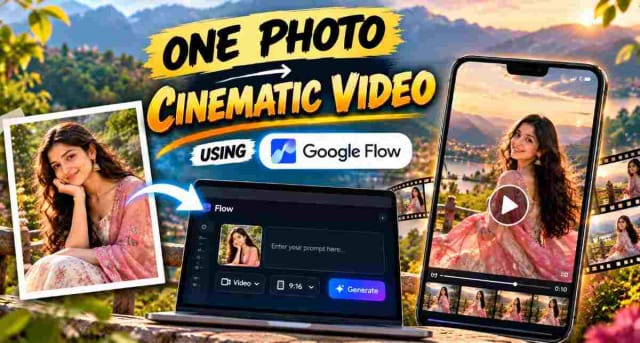
Learn how to turn a single photo into a cinematic 10-second vertical video using Google Flow. This guide includes the exact prompt, recommended 9:16 settings, and simple steps to create an AI-generated video while keeping the uploaded reference image consistent.