
Turn a Photo Into an AI Video With Google Flow, Step-by-Step on Your Mobile
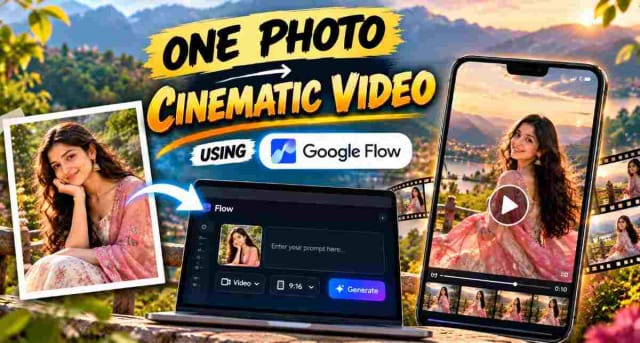
It is now genuinely possible to turn a simple portrait photo into a cinematic video from your phone. Using Google Flow, you could turn a normal photo into a realistic video of someone dancing in traditional attire on a hillside, and this guide shows you how exactly.
What is Google Flow?
Google Flow is an AI creative studio. It generates cinematic videos from text prompts and images and runs in the browser at flow.google.com, so you can use it from your phone without having to install anything.
Step 1: Open Google Flow
Search "google flow" in Chrome and open the official Google Flow link from the search results (flow.google.com). You will have to sign in with a Google account.
Step 2: Create a Project and Upload Your Photo
Start a new project. Use the "+" button next to the prompt box to upload a reference photo. A clear, sharp portrait photo produces much better results. In this example, a photo of a woman in a black outfit was used as the reference.
Step 3: Select Ingredients Mode
Opening the prompt box settings shows four options: Image, Video, Frames, and Ingredients.
- Select Video.
- Select Ingredients. This is for treating your photo as an "ingredient" — the person's appearance remain consistent while the AI generates them into a new scene, rather than generating a random new face each time.
Step 4: Set Your Generation Settings
The settings used in this example:
| Setting | Options | Used Here |
|---|---|---|
| Aspect ratio | 16:9 (landscape), 9:16 (vertical) | 16:9 |
| Model | Omni 1.1 Flash | Omni 1.1 Flash |
| Quality | 360p, 720p | 720p |
| Duration | 4s, 6s, 8s, 10s | 10s |
| Outputs | x1, x2, x3, x4 | x2 |
Choose 9:16 if you're making content for Reels or Shorts. These settings used 30 credits per generation according to the on-screen estimate — longer duration, higher quality, and more outputs all use more credits so is worth starting with lower settings while you're testing.
Step 5: Write a Detailed Prompt
Your prompt should cover:
- Person's appearance — outfit, hair, expression
- Scene — hillside, mountains, a town in the background
- Movement — twirling, the dupatta flowing, smiling
- Lighting — golden hour, soft sunlight
- An avoid list starting with "no..." — for example, no distortion, no extra people, no text. These constraints notably reduce common AI mistakes.
Here's the exact prompt used to generate the example in this guide — it locks down the outfit and setting once, then gives a full second-by-second scene breakdown so the look remains consistent across the whole clip:
✨ AI PromptVIDEO PROMPT Create an ultra-realistic, cinematic romantic music-video style sequence featuring a young Indian woman in traditional Indian attire, set in a breathtaking lush mountainous landscape. REFERENCE IMAGE — FEMALE CHARACTER IDENTITY LOCK: Use the supplied reference image as the STRICT visual identity reference for the female character throughout the entire video. The woman in the generated video MUST be the exact same woman shown in the supplied reference image. Preserve her exact natural facial identity in every shot, including: - Face shape - Facial proportions - Eyes - Eyebrows - Nose - Lips - Jawline - Cheek structure - Skin tone - Natural facial asymmetry - Hairline - Hairstyle characteristics - Overall recognizable appearance The reference image controls the woman's REAL facial identity. Do NOT reinterpret her face. Do NOT generate a similar-looking woman. Do NOT replace her with another person. Do NOT beautify or redesign her face. Do NOT change her age appearance. Do NOT alter her facial proportions. Do NOT apply artificial facial smoothing. Do NOT create an AI-generated-looking face. Her face must remain clear, natural, photorealistic and recognizable whenever visible. Maintain the EXACT SAME FEMALE IDENTITY across every shot, camera angle, lighting condition, transition and pose. IMPORTANT: The reference image controls ONLY the woman's identity and natural facial appearance. The specified outfit, environment, actions, cinematography and storyline below must be followed exactly as written. OVERALL SETTING: The location is a high-altitude hilltop or grassy mountain meadow overlooking a densely populated town or city in a distant valley. The mountains and valley should appear naturally beautiful and atmospheric, with the distant town softly blurred. Bright natural sunlight filters through surrounding trees, creating a dreamy warm golden-hour atmosphere. SUBJECT AND OUTFIT: The woman wears a traditional Indian half-saree / lehenga-choli. She wears a cream or off-white lehenga skirt with a thick, rich maroon border along the bottom hem. She wears a matching short-sleeved maroon blouse. A sheer, lightweight maroon dupatta is draped over her shoulder. The dupatta contains tiny sparkling silver sequins or delicate silver dots and must move naturally with the breeze and her body movement. She wears traditional gold jewelry including a gold necklace, earrings and bangles. Her long dark hair is left loose. A prominent long string of fresh white jasmine flowers (gajra) is tied down the center/back of her hair. Keep the traditional styling elegant, natural and realistic. IMPORTANT VISUAL STYLE: Ultra-realistic real-world camera footage. Do NOT make it look like CGI, 3D animation, illustration or artificial AI-generated footage. Natural Indian woman, realistic skin texture, realistic hair strands, realistic fabric physics and natural body movement. Cinematic shallow depth of field with beautiful natural bokeh. Keep the woman sharply focused while the distant town, mountains and surrounding foliage remain softly blurred. Use smooth professional cinematography, natural sunlight, realistic shadows and subtle cinematic color grading. Use tasteful slow-motion where appropriate to emphasize the movement of the dupatta, hair and graceful gestures. The overall result should feel like a professionally filmed romantic Indian music video. EXACT TIMELINE AND SCENE BREAKDOWN: 00:00 - 00:01 — THE FLOWING FABRIC: Begin with a mid-shot focused on the woman's torso and lower body as she stands gracefully on a grassy mountain slope. A gentle natural breeze catches her sheer maroon dupatta and makes it billow dramatically behind her. The cream/off-white lehenga with the rich maroon border must remain clearly visible. The background contains the distant town/city in the valley, softly out of focus. Use shallow depth of field and cinematic natural lighting. 00:02 — BRIGHT TRANSITION: Create a rapid bright visual transition. The screen becomes briefly washed with intense flashes of yellow, red and white light. Use a bright light-leak / overexposed transition effect to smoothly connect to the next scene. 00:03 - 00:04 — THE OVERLOOK: Cut to a shot from directly behind the woman. She stands still and gazes toward the vast mountainous landscape and the blurred city below. The camera focuses sharply on the long white jasmine flowers in her dark hair and the back of her maroon blouse. Her hair remains loose and natural. The distant mountains, valley and town remain softly blurred. Create a peaceful, romantic and cinematic feeling. 00:05 - 00:06 — THE SPIN: Transition into a slightly darker and more dynamic cinematic shot. The woman gracefully spins or turns on the grassy hill. Her sheer maroon dupatta flares outward dramatically around her as she moves. Capture the natural movement of the fabric with realistic cloth physics. Use smooth cinematic slow motion to emphasize her graceful movement. Maintain the same outfit, hairstyle, jewelry and environment. IMPORTANT IDENTITY CONTINUITY: Even during the spin, maintain the exact female identity from the supplied reference image. When her face becomes visible during the movement, it must remain the same face with zero identity drift. 00:07 — BRIGHT TRANSITION: Create another bright, overexposed transition. Use flashes blending white, blue and red hues. The transition should feel like a stylish cinematic light-leak effect from a romantic music video. 00:08 - 00:09 — THE FOREST WALK: Show the woman from behind as she slowly walks beneath the low-hanging branches of a large pine tree. She walks naturally and gracefully. She gently raises her right hand toward the pine branches, as if reaching out to touch the pine needles. Sunlight filters naturally through the pine branches, creating beautiful dappled light and shadow across the scene. Keep the camera movement smooth and cinematic. Maintain shallow depth of field and realistic environmental details. 00:10 — WHITE FLASH TRANSITION: Use a quick, bright white flash transition to move into the next scene. 00:11 - 00:12 — THE GENTLE SMILE: Show the woman sitting gracefully on a gently sloping grassy meadow. She leans on her right hand and rests her cheek softly against her palm. She looks toward the camera and gives a gentle, shy, demure smile. In her left hand she delicately holds a small sprig of white flowers. Her expression should be natural, soft and emotionally warm. Keep her traditional outfit, jewelry, loose dark hair and jasmine flowers exactly consistent. Use soft natural sunlight and cinematic shallow depth of field. CRITICAL FACE REQUIREMENT: Because the woman is looking toward the camera, her face must be clearly visible and must match the supplied reference image exactly. Keep her face sharp and photorealistic. No face drift, no face morphing and no identity alteration. 00:13 - 00:14 — THE SUNLIT PATH: Show the woman standing or slowly walking along a grassy path surrounded by pine trees. She looks downward shyly with her head gently bowed. The sun is positioned behind her, producing beautiful natural backlighting. Create a glowing halo effect around her hair. The scene should feel peaceful, romantic and dreamy. Use smooth camera movement, realistic sunlight, natural lens flare and cinematic bokeh. 00:15 — BLACK TRANSITION: Briefly cut the screen completely to black before the final shot. 00:16 - 00:17 — THE VEIL / FINAL SHOT: Create a close-up to medium cinematic shot of the woman spinning rapidly. Her sheer maroon dupatta moves dramatically around her body. The flowing maroon fabric temporarily covers her face and upper body completely, creating a beautiful swirling canopy of red fabric. As the dupatta moves naturally with the spin, her face becomes briefly visible through the sheer maroon fabric. When her face becomes visible, preserve the exact facial identity from the supplied reference image. End the video naturally as the fabric continues moving. CINEMATOGRAPHY: Use extensive shallow depth of field and cinematic bokeh. Keep the woman in sharp focus while the distant town, mountains and surrounding foliage remain beautifully blurred. Camera movement must be smooth, stable and professional. Use tasteful slow-motion effects to emphasize the flowing dupatta, hair movement and graceful gestures. Use realistic fabric physics and natural wind movement. Use bright light-leak style transitions between scenes. The transitions should include the specified yellow/red/white flashes, white/blue/red overexposure, and the quick white flash exactly at their respective timestamps. REFERENCE IMAGE CONSISTENCY: The supplied female reference image must be treated as the PRIMARY IDENTITY SOURCE. Across the entire sequence: SAME WOMAN. SAME FACE. SAME FACIAL STRUCTURE. SAME SKIN TONE. SAME HAIR CHARACTERISTICS. SAME NATURAL IDENTITY. Different camera angles must NOT create a different face. Front view, side view, three-quarter view, rear view and partially obscured views must all belong to the same woman. Facial appearance must remain consistent before and after every transition. The bright light-leak transitions must NOT alter the woman's identity. The black transition must NOT introduce a new character. The final shot must still contain the exact same woman from the reference image. FINAL LOOK: High-end cinematic Indian romantic music-video aesthetic. Realistic camera footage. Natural skin texture. Natural hair and fabric movement. Realistic sunlight and shadows. Beautiful mountainous environment. Elegant traditional Indian styling. Dreamy golden-hour atmosphere. Professional cinematic color grading. Smooth slow-motion. No cartoon look. No CGI look. No 3D-rendered appearance. No artificial-looking skin. No distorted hands. No extra fingers. No duplicated body parts. No unwanted people in the background. STRICT NEGATIVE PROMPT: No face change. No face morphing. No identity drift. No different woman. No face replacement. No face swap. No facial redesign. No beautification. No age change. No skin-tone change. No facial distortion. No different eyes. No different nose. No different lips. No different jawline. No different hairstyle. No AI-looking face. No plastic skin. No artificial facial features. No duplicate woman. No extra person. No character replacement. No outfit change. No hairstyle change. No jewelry change. No environment reset. No random background people. No distorted hands. No extra fingers. No duplicated body parts. No CGI appearance. No cartoon appearance. No 3D-rendered appearance. No flickering face. No facial warping. No facial melting. No inconsistent facial proportions. MOST IMPORTANT: Use the supplied reference image to preserve the EXACT SAME FEMALE FACE AND IDENTITY throughout the entire video. Do not change the original story. Do not change the scene order. Do not change the specified actions. Do not change the outfit. Do not change the specified transitions. Only ensure that the woman remains the EXACT SAME REALISTIC PERSON from the supplied reference image in every scene.
You don't need every section for a quick test — even just the SUBJECT AND OUTFIT block plus one or two timeline scenes will get you a usable short clip. The full version above is what to use once you want the complete multi-scene sequence shown in this guide.
Step 6: Generate and Review the Result
Tap the arrow button. Within a couple of minutes, you will get your chosen number of variations — x2 means two separate video outputs. In this example, the prompt "woman in traditional attire dancing" produced scenes of her twirling on a hillside with her dupatta flowing in the wind, mountains visible in the background.
My Experience With This Workflow
I tested this exact workflow myself. Generating directly in Video mode without switching to Ingredients mode produced noticeably weaker face consistency — the person's face shifted slightly between each variation. Switching to Ingredients mode fixed most of that. After increasing duration to 10 seconds, the twirling/spin section in the middle picked up more motion blur than the rest of the clip — starting at 6 seconds first, checking the result, and only extending to 10 seconds once you're happy with it turned out to be the better approach, and it saves credits too.
Pro Tips
- Compare your variations. Generate x2 or x3 outputs and pick the best one rather than accepting the first result.
- Photo quality matters. Use a photo with a clearly visible face and good lighting.
- Start with shorter clips. This saves credits — extend to 10 seconds only for your final version.
- Describe motion clearly in the prompt. Words like "dancing, twirling, hair and dupatta flowing" make a real difference.
- Always double-check the output. Google Flow itself shows an "AI can make mistakes" note — check hands, faces, and clothing details before using a clip.
FAQ
What happens if I skip Ingredients mode?
The video still generates, but the reference photo's face and identity consistency tends to be noticeably weaker — the person's appearance can shift slightly between each variation. Ingredients mode is specifically built to fix this.
How many videos can I generate for free?
This depends on the credits tied to your Google account — each generation deducts credits based on your settings (duration, quality, number of outputs), so the exact free limit varies by account.
Should I use 9:16 or 16:9?
Use 9:16 (vertical) for Instagram Reels and YouTube Shorts. Use 16:9 (landscape) for regular YouTube videos or other landscape content.
Can I generate multiple scenes without the face changing each time?
Yes — using Ingredients mode with the same reference photo lets you generate different prompts and scenes while keeping the person's face and identity largely consistent across all of them.
Final Thoughts
One photo, one prompt, and a handful of credits is genuinely enough to produce a professional-looking AI video now. It's a useful tool for content creators, small businesses, and social media pages alike.
Written by Dinesh — full-stack developer and content creator testing AI video prompts and tools for real-world use. This guide is based on hands-on testing of the full workflow before publishing.

DINESH
Lead EditorEditorial expert testing, curating, and documenting the best AI tools, gadgets, creative setups, and lifestyle gear in India.
Continue Reading
Recommended Stories

12 AI Prompts to Turn One Photo of a Garment into a Full Fashion Shoot
Discover 12 AI garment prompts to turn one saree, dress, or shirt photo into professional mannequin displays, boutique images, studio model shoots, fashion editorials, catalog images, e-commerce visuals, and Instagram-ready content.

12 AI Prompts to Turn One Photo of a Garment into a Full Fashion Shoot
Discover how to use 10+ ChatGPT prompts for clothing businesses to create professional fashion product images without a traditional studio setup. From /mannequin store and /boutique display to /street style and /studio model, these prompts can help turn simple saree or dress photos into polished marketing visuals for your brand. Perfect for clothing stores, boutiques, resellers, and fashion entrepreneurs looking to create product content faster with AI.

150 AI Prompts Every Operator Needs
Discover 150 powerful ChatGPT commands that can help you make better decisions, build business offers, create social media content, produce videos, and improve your writing. From commands like /reel, /caption, and /thumbnail to strategic commands for planning, research, and content refinement, this guide gives you a practical AI command library you can reuse for everyday work and content creation.