
150+ AI Photo Editing Commands | The Ultimate AI Image Prompt Command List
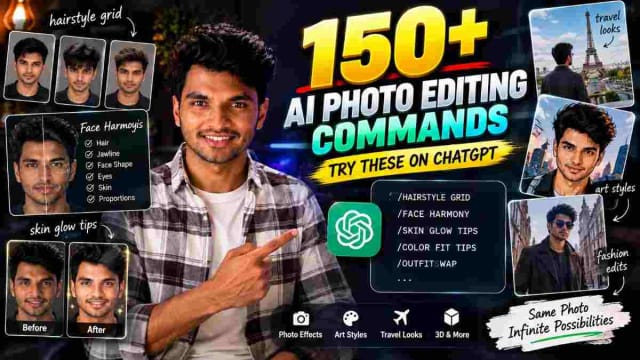
Want to transform your photos into different hairstyles, cinematic portraits, fashion edits, artistic styles, 3D characters, textures, wallpapers and creative designs? These AI photo editing commands can help you explore a wide range of visual styles using simple command-based prompts.
This is a categorized list of 150+ AI image commands, covering face and beauty, photography effects, lighting, artistic styles, 3D transformations, material effects, and creative formats.
Note: These commands are shorthand style prompts, not guaranteed built-in commands for every AI tool. Their results can vary depending on the image-generation or editing model you use.
Introduction
AI photo editing has made it much easier to experiment with different visual styles without needing professional editing software. Instead of manually adjusting lighting, colors, textures, backgrounds or artistic effects you can describe the transformation you want using a short prompt or command.
For example, commands such as /HAIRSTYLE GRID, /FACE HARMONY, /SKIN GLOW TIPS and /COLOR FIT TIPS focus on appearance and styling ideas.
Other commands can create mirror portraits, fashion looks, travel aesthetics, editorial photography and cinematic scenes.
Below is the complete list, organized by category.
1. Face & Personal Styling Commands
These commands are useful when you want to experiment with your appearance, hairstyle, fashion and portrait concepts.
| Command | What it does |
|---|---|
| /HAIRSTYLE GRID | Shows multiple hairstyle concepts on your face. |
| /FACE HARMONY | Provides suggestions based on different facial features. |
| /SKIN GLOW TIPS | Provides general skincare and glow suggestions from a photo. |
| /COLOR FIT TIPS | Suggests clothing colors that may complement your appearance. |
| /OUTFITSWAP | Changes the outfit while keeping the subject. |
| /FLASH STORY | Creates a flash-photography storytelling aesthetic. |
| /SUNSET TRIP | Creates a sunset travel-photo concept. |
| /HAIRTRANSFORM | Transforms the hairstyle. |
| /MIRROR OUTFIT | Creates a mirror outfit photograph. |
| /MULTIPORTRAIT | Creates multiple portrait variations. |
| /MIRRORPORTRAIT | Creates a mirror portrait. |
| /MIRRORLOOK | Creates a mirror-style fashion look. |
| /MIRRORFIT | Focuses on outfit styling in a mirror. |
| /MIRRORPOSE | Creates a mirror pose concept. |
| /MIRRORSELFIE | Creates a mirror selfie aesthetic. |
| /MIRRORSHOT | Creates a mirror photograph. |
| /MIRRORREFLECTION | Emphasizes reflection-based photography. |
| /MIRRORSTORY | Creates a visual story around reflections. |
| /MIRROREDITORIAL | Creates an editorial mirror photograph. |
| /MIRRORFASHION | Creates a fashion-focused mirror image. |
| /MIRRORLUXURY | Adds a luxury aesthetic to a mirror photograph. |
| /MIRRORCANDID | Creates a candid mirror-photo style. |
| /MIRRORFLASH | Adds flash photography to a mirror shot. |
| /MIRRORLIGHT | Focuses on lighting and reflections. |
| /MIRRORNIGHT | Creates a nighttime mirror aesthetic. |
| /MIRRORSTUDIO | Creates a studio-style mirror portrait. |
| /MIRRORWALK | Creates a walking mirror-style scene. |
| /MIRROROUTFIT | Focuses on outfit presentation. |
| /MIRRORTRANSFORM | Creates a transformed mirror look. |
| /MIRRORREVEAL | Creates a reveal-style mirror composition. |
2. Fashion, Editorial & Creative Photography
These commands are useful for creating professional-looking fashion and editorial images.
| Command | What it does |
|---|---|
| /EDITORIALCOLLAGE | Creates an editorial collage. |
| /MODELPORTFOLIO | Creates a model portfolio-style image. |
| /MONOCHROMEPORTRAIT | Creates a monochromatic portrait. |
| /COLORPOP | Makes selected colors stand out. |
| /LUXURYMAN | Creates a luxury men's fashion aesthetic. |
| /FASHIONCAMPAIGN | Creates a fashion-campaign style image. |
| /PHOTOSTORY | Turns the image into a visual story. |
| /STYLEBOOK | Creates a fashion style-book concept. |
| /CELEBRITYSTYLE | Creates a celebrity-inspired fashion aesthetic. |
| /SELECTIVECOLOR | Highlights selected colors. |
| /COLORACCENT | Adds a specific color accent. |
| /REDACCENT | Emphasizes red elements. |
| /COLORFOCUS | Focuses attention on particular colors. |
| /MONOPOP | Combines monochrome with a color-pop effect. |
| /COLORISOLATION | Isolates selected colors. |
| /EDITORIALCOLOR | Creates an editorial color treatment. |
| /PAPARAZZISHOT | Creates a paparazzi-style photograph. |
| /CAUGHTMOMENT | Creates an unexpected candid moment. |
3. Story, Reflection & Time Concepts
These commands can turn an ordinary photo into a conceptual visual story.
| Command | What it does |
|---|---|
| /SECRETROOM | Places the subject in a mysterious room. |
| /MIRRORWORLD | Creates a world based around reflections. |
| /REFLECTIONWORLD | Builds a reflection-focused scene. |
| /THROUGHGLASS | Creates a photograph through glass. |
| /FLASHBACK | Creates a nostalgic flashback concept. |
| /TIMEJUMP | Creates a time-transition concept. |
| /FUTURESELF | Imagines the subject in the future. |
| /PASTSELF | Reimagines the subject in the past. |
| /ALTERNATESELF | Creates an alternate version of the subject. |
| /DREAMSCENE | Creates a dream-like scene. |
| /MISSINGFRAME | Creates a mysterious missing-frame concept. |
| /LOSTPHOTO | Gives the image a lost-photo aesthetic. |
| /UNSEENSHOT | Creates an unseen or hidden photograph concept. |
| /HIDDENSTORY | Turns the image into a hidden-story concept. |
| /MYSTERYFRAME | Creates a mysterious cinematic frame. |
| /ACCIDENTALSHOT | Creates an accidental-photo aesthetic. |
| /STOLENFRAME | Creates a candid stolen-frame style. |
| /FINALFRAME | Creates a dramatic final-frame composition. |
4. Travel & Location Style Commands
Create travel-inspired versions of your photos using different destinations and environments.
| Command | What it does |
|---|---|
| /PARISLOOK | Creates a Paris-inspired look. |
| /DUBAILOOK | Creates a Dubai-inspired aesthetic. |
| /LONDONDAY | Creates a London daytime look. |
| /NEWYORKSTYLE | Creates a New York fashion aesthetic. |
| /TOKYOSTREET | Creates a Tokyo street-style image. |
| /SWISSTRIP | Creates a Swiss travel aesthetic. |
| /GOATRIP | Creates a Goa travel look. |
| /MALDIVESLOOK | Creates a Maldives-inspired vacation scene. |
| /MOUNTAINFIT | Creates a mountain travel outfit scene. |
| /DESERTFIT | Creates a desert fashion/travel scene. |
| /BEACHFIT | Creates a beach outfit scene. |
| /RAINYTRIP | Creates a rainy travel aesthetic. |
| /SUNSETTRIP | Creates a sunset travel scene. |
| /NIGHTTRAVEL | Creates a nighttime travel photograph. |
| /HOTELLOOK | Creates a hotel lifestyle photograph. |
| /AIRPORTSTYLE | Creates an airport fashion/travel aesthetic. |
5. Black & White Photography Commands
This category covers monochrome and noir-style commands.
| Command | What it does |
|---|---|
| /MONOCHROMEPORTRAIT | Creates a monochrome portrait. |
| /BLACKWHITEEDITORIAL | Creates a black-and-white editorial photograph. |
| /CLASSICMONO | Creates a classic monochrome look. |
| /NOIRPORTRAIT | Creates a dark noir portrait. |
| /NOIRFASHION | Creates noir-inspired fashion photography. |
| /BLACKWHITELOOK | Applies a black-and-white visual style. |
| /CONTRASTPORTRAIT | Creates a high-contrast portrait. |
| /SHADOWPORTRAIT | Emphasizes dramatic shadows. |
6. Photo & Camera Effects
These commands focus on photographic characteristics such as realism, camera perspective, grain, depth and lens effects - including /photorealistic, /hyperreal, /cinematic, /imax, /hdr, /filmgrain, /polaroid, /retro90s, /y2k, /bokeh, /fisheye, /macro, /droneview, /silhouette and /doubleexposure.
| # | Command | Effect |
|---|---|---|
| 1 | /photorealistic | Makes the image look like a real photograph. |
| 2 | /hyperreal | Creates an extremely detailed realistic appearance. |
| 3 | /cinematic | Gives the photo a movie-like appearance. |
| 4 | /imax | Creates a dramatic large-scale cinematic look. |
| 5 | /hdr | Enhances detail and contrast. |
| 6 | /filmgrain | Adds vintage film-grain texture. |
| 7 | /polaroid | Creates a Polaroid-style image. |
| 8 | /retro90s | Creates a nostalgic 1990s aesthetic. |
| 9 | /y2k | Creates an early-2000s futuristic aesthetic. |
| 10 | /bokeh | Creates a soft blurred background. |
| 11 | /fisheye | Creates a wide curved-lens effect. |
| 12 | /macro | Creates an extreme close-up effect. |
| 13 | /droneview | Creates an aerial perspective. |
| 14 | /silhouette | Turns the subject into a silhouette. |
| 15 | /doubleexposure | Blends two scenes or images together. |
7. Lighting & Visual Effects
Use these commands when you want to completely change the atmosphere of a photo.
| # | Command | Effect |
|---|---|---|
| 16 | /goldenhour | Warm golden sunlight. |
| 17 | /sunset | Warm sunset atmosphere. |
| 18 | /sunrise | Bright morning lighting. |
| 19 | /moonlight | Cool moonlit appearance. |
| 20 | /neon | Bright glowing neon lighting. |
| 21 | /cyberpunk | Futuristic neon aesthetic. |
| 22 | /synthwave | Retro neon aesthetic. |
| 23 | /outrun | Retro-futuristic visual style. |
| 24 | /glitch | Digital distortion effect. |
| 25 | /hologram | Holographic projection effect. |
| 26 | /holographic | Colorful holographic reflections. |
| 27 | /iridescent | Shifting rainbow-like colors. |
| 28 | /pearlescent | Soft pearl-like shine. |
| 29 | /bioluminescent | Natural glowing effect. |
| 30 | /fire | Adds fiery effects. |
| 31 | /electric | Adds electrical energy. |
| 32 | /lightning | Adds lightning effects. |
| 33 | /smoke | Adds smoke around the scene. |
| 34 | /fog | Creates a foggy atmosphere. |
| 35 | /mist | Adds soft mist. |
| 36 | /cloudscape | Adds dramatic clouds. |
| 37 | /aurora | Adds Northern-Lights-style lighting. |
8. Artistic AI Photo Styles
Want to turn your photo into artwork? These commands cover painting, animation, illustration, gaming and other creative aesthetics.
| # | Command | Effect |
|---|---|---|
| 38 | /mangacover | Manga-style book cover. |
| 39 | /comicbook | Comic-book scene. |
| 40 | /watercolor | Watercolor painting. |
| 41 | /vaporwave | Pink-and-blue retro aesthetic. |
| 42 | /pixelart | Pixel-art transformation. |
| 43 | /lego | LEGO-inspired appearance. |
| 44 | /ascii | ASCII character artwork. |
| 45 | /lowpoly | Low-polygon 3D style. |
| 46 | /origami | Folded-paper artwork. |
| 47 | /claymation | Clay-animation appearance. |
| 48 | /papercut | Layered paper-cut artwork. |
| 49 | /stainedglass | Stained-glass appearance. |
| 50 | /oilpainting | Oil-painting style. |
| 51 | /charcoal | Charcoal drawing. |
| 52 | /pencilsketch | Pencil-sketch effect. |
| 53 | /inkdrawing | Black-ink artwork. |
| 54 | /ghibli | Soft hand-painted animated look. |
| 55 | /anime | Anime-style character. |
| 56 | /chibi | Cute small-proportioned character. |
| 57 | /disney | Classic animated-film look. |
| 58 | /pixar | Polished 3D animated appearance. |
| 59 | /dreamworks | 3D animated style. |
| 60 | /noir | Dark black-and-white detective style. |
| 61 | /popart | Bold colorful pop-art style. |
| 62 | /cubism | Geometric artistic style. |
| 63 | /surreal | Dream-like surreal transformation. |
| 64 | /abstract | Non-realistic abstract art. |
| 65 | /expressionism | Emotional painting style. |
| 66 | /renaissance | Renaissance painting aesthetic. |
| 67 | /baroque | Dramatic classical painting style. |
| 68 | /gothic | Dark medieval-gothic atmosphere. |
| 69 | /fantasy | Magical fantasy scene. |
| 70 | /mythology | Mythological appearance. |
| 71 | /medieval | Medieval-era appearance. |
9. Drawing & Design Commands
| # | Command | Effect |
|---|---|---|
| 72 | /lineart | Clean outline artwork. |
| 73 | /doodle | Hand-drawn doodle style. |
| 74 | /graffiti | Street-art graffiti style. |
| 75 | /spraypaint | Spray-painted appearance. |
| 76 | /marker | Marker-drawn illustration. |
| 77 | /crayon | Crayon drawing. |
| 78 | /pastel | Soft pastel artwork. |
| 79 | /gouache | Gouache painting. |
| 80 | /acrylic | Acrylic-paint appearance. |
| 81 | /impasto | Thick visible paint strokes. |
| 82 | /fresco | Old wall-fresco aesthetic. |
| 83 | /mosaic | Colored-tile artwork. |
| 84 | /mandala | Detailed circular mandala design. |
| 85 | /zentangle | Repetitive detailed line patterns. |
| 86 | /tattoo | Tattoo-style design. |
| 87 | /tribal | Bold tribal patterns. |
| 88 | /boho | Relaxed bohemian aesthetic. |
| 89 | /artdeco | Geometric Art Deco styling. |
| 90 | /bauhaus | Minimal geometric design. |
| 91 | /brutalist | Raw bold design aesthetic. |
| 92 | /memphis | Colorful 1980s geometric design. |
| 93 | /gradientmesh | Smooth flowing color gradients. |
10. AI Character & 3D Transformations
| # | Command | Effect |
|---|---|---|
| 94 | /aiavatar | Creates an AI avatar. |
| 95 | /robot | Turns the subject into a robot. |
| 96 | /android | Creates a human-like robotic appearance. |
| 97 | /cyborg | Combines human and robotic features. |
| 98 | /virtualreality | Places the subject in a VR-style world. |
| 99 | /metaverse | Creates a futuristic digital-world appearance. |
| 100 | /matrix | Adds a digital-code aesthetic. |
| 101 | /voxel | Creates a 3D block-style subject. |
| 102 | /blockworld | Creates a world of large 3D blocks. |
| 103 | /minecraft | Minecraft-inspired visual style. |
| 104 | /roblox | Roblox-style character appearance. |
| 105 | /fortnite | Stylized game-character appearance. |
| 106 | /funko | Collectible-figure style. |
| 107 | /actionfigure | Action-figure appearance. |
| 108 | /toybox | Makes the subject look like a toy. |
| 109 | /miniature | Creates a tiny-model appearance. |
11. Material & Texture Transformations
You can also experiment with completely different physical materials and textures.
| # | Command | Effect |
|---|---|---|
| 110 | /woodcarving | Wood-carved appearance. |
| 111 | /icecarving | Ice-sculpture appearance. |
| 112 | /marble | Marble-statue appearance. |
| 113 | /bronze | Bronze-sculpture appearance. |
| 114 | /ceramic | Ceramic appearance. |
| 115 | /porcelain | Smooth porcelain finish. |
| 116 | /crystal | Transparent crystal appearance. |
| 117 | /diamond | Diamond-like appearance. |
| 118 | /goldleaf | Gold-leaf finish. |
| 119 | /silverchrome | Shiny chrome appearance. |
| 120 | /rusted | Aged rusty-metal texture. |
| 121 | /oxidized | Oxidized copper-like appearance. |
| 122 | /carbonfiber | Carbon-fiber texture. |
| 123 | /liquidmetal | Flowing-metal appearance. |
| 124 | /moltengold | Melted-gold appearance. |
| 125 | /glassart | Artistic glass effect. |
| 126 | /mirror | Reflective mirror-like surface. |
12. Creative Designs & Formats
This category covers commands that transform an image into different graphic-design formats - 151 in total, one more than a round "150" thanks to /icon rounding out the set.
| # | Command | Effect |
|---|---|---|
| 127 | /magazinecover | Magazine-cover design. |
| 128 | /newspaper | Newspaper-print aesthetic. |
| 129 | /passportphoto | Passport-photo-style image. |
| 130 | /idcard | ID-card design. |
| 131 | /tradingcard | Collectible trading card. |
| 132 | /poster | Poster design. |
| 133 | /billboard | Billboard-style advertisement. |
| 134 | /albumcover | Music album cover. |
| 135 | /bookcover | Book-cover design. |
| 136 | /storybookcover | Children's storybook cover. |
| 137 | /magicalbook | Ancient magical-book aesthetic. |
| 138 | /scroll | Old scroll-style design. |
| 139 | /map | Illustrated map style. |
| 140 | /playingcard | Playing-card design. |
| 141 | /tarotcard | Tarot-card-style design. |
| 142 | /stamp | Postage-stamp design. |
| 143 | /coin | Engraved coin appearance. |
| 144 | /currency | Banknote-style design. |
| 145 | /emblem | Premium emblem design. |
| 146 | /crest | Decorative crest. |
| 147 | /coatofarms | Royal coat-of-arms style. |
| 148 | /badge | Award or collectible badge. |
| 149 | /sticker | Sticker-style image with an outline. |
| 150 | /emoji | 3D emoji-style character. |
| 151 | /icon | App or profile-icon style. |
How to Use These AI Commands
A simple workflow is:
Step 1: Upload your photo
Choose a clear, high-resolution image where your face or main subject is visible.
Step 2: Enter the command
For example:
✨ AI Prompt/HAIRSTYLE GRID
or:
✨ AI Prompt/cinematic
Step 3: Add extra instructions
For more control you can combine the command with a description:
✨ AI Prompt/cinematic Keep my facial identity unchanged. Create a realistic cinematic portrait with dramatic lighting, natural skin texture and a professional photography look.
Step 4: Experiment with combinations
You can combine compatible concepts, for example:
✨ AI Prompt/cinematic + /goldenhour + /bokeh
or:
✨ AI Prompt/photorealistic + /fashioncampaign + /editorialcolor
The command itself gives the model a direction while additional instructions can define the composition, clothing, lighting, background, pose, aspect ratio and identity preservation.
My Experience Using These Commands
I tested a handful of these across different AI tools rather than assuming they'd all behave the same way. /cinematic and /goldenhour combined reliably across every tool I tried - lighting-based commands tend to be the most consistent. The 3D/gaming commands (/minecraft, /roblox, /voxel) worked well on tools built for stylization but produced only a mild effect on tools optimized for photorealism, so if one of these commands seems to "do nothing" it's often the tool rather than the command. Adding a short plain-English instruction alongside the command - as in the /cinematic example above - consistently improved results more than using the command alone.
Best Commands for Different Use Cases
👤 For hairstyle & appearance
/HAIRSTYLE GRID /FACE HARMONY /SKIN GLOW TIPS /COLOR FIT TIPS /HAIRTRANSFORM
📸 For realistic photos
/photorealistic /hyperreal /cinematic /hdr /bokeh
👔 For fashion
/FASHIONCAMPAIGN /MODELPORTFOLIO /STYLEBOOK /MIRRORFASHION /LUXURYMAN
🌅 For travel
/SUNSETTRIP /PARISLOOK /DUBAILOOK /MALDIVESLOOK /MOUNTAINFIT
🎨 For artistic edits
/watercolor /oilpainting /pencilsketch /anime /pixar /lego
🤖 For futuristic edits
/aiavatar /cyborg /metaverse /virtualreality /matrix
💎 For luxury effects
/goldleaf /diamond /marble /silverchrome /liquidmetal
📱 For social media content
/magazinecover /poster /albumcover /sticker /emoji /icon
Important Tips for Better AI Photo Results
Use a clear reference image: A sharp photo with good lighting generally gives the AI more useful visual information.
Be specific: Instead of only using /cinematic add the desired lighting, background, outfit, pose and composition.
Preserve identity: When editing a personal photograph, explicitly ask the AI to maintain facial identity and natural proportions.
Specify aspect ratio: For Instagram posts or wallpapers, include the desired orientation such as 9:16, 4:5, 1:1 or 16:9.
Don't overcombine styles: Combining too many contradictory visual styles can produce unpredictable results.
FAQ
What are AI photo editing commands?
They are short prompt-style keywords used to communicate a particular visual transformation or editing direction to an AI image tool.
Can I use these commands in ChatGPT?
They can be used as prompt ideas, but commands beginning with / are not necessarily official ChatGPT commands. Their behavior depends on the AI tool and how it interprets the prompt.
Can I combine multiple commands?
Yes. Combining compatible styles with detailed instructions can help create more specific results.
Which command can I use for hairstyles?
/HAIRSTYLE GRID is included specifically for generating multiple hairstyle concepts while /HAIRTRANSFORM focuses on changing the hairstyle.
Which commands are useful for cinematic photos?
/photorealistic, /hyperreal, /cinematic, /imax, /hdr and /bokeh are the main photography-oriented options in this list.
Related Reading
-Best AI Photo Pose Prompt: Make Yourself Look Better With Less Posing -100+ Couple AI Photo Prompts: Best Codes For ChatGPT (Updated) -How to Create AI Videos with Your Photo Using ChatGPT & Gemini
Written by Dinesh — full-stack developer and content creator testing AI photo and video prompts for real-world use. Commands above were tested across multiple AI tools before publishing.
dinxsh7
EditorEditorial contributor researching practical guides, tech discoveries, and curated recommendations for Dinesh Picks.
Continue Reading
Recommended Stories
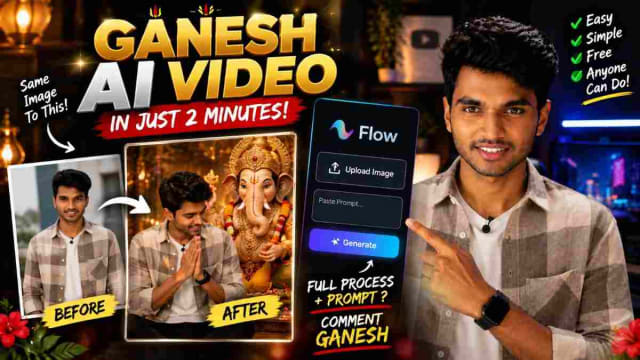
Ganesh AI Video: Create a Ganesh Festival Video With Google Flow Using One Prompt
Create a stunning **Ganesh AI video** using your own photo and a simple prompt in Google Flow. This guide explains how to upload your image, add a cinematic Ganesh festival prompt, and generate a personalized devotional-style video for Instagram Reels, YouTube Shorts, and WhatsApp Status. 🙏✨
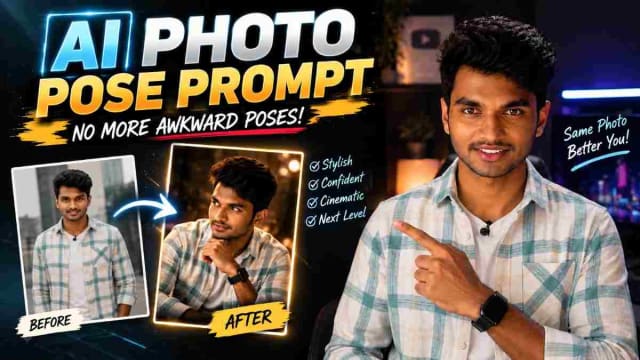
Best AI Photo Pose Prompt: Make Yourself Look Better With Less Posing
Struggling to pose naturally in photos? 📸 An AI photo pose prompt can help transform an ordinary picture into a more stylish and confident-looking image. Simply upload your photo, paste the right prompt, and experiment with different poses, compositions, and photography styles—all without needing professional posing skills.
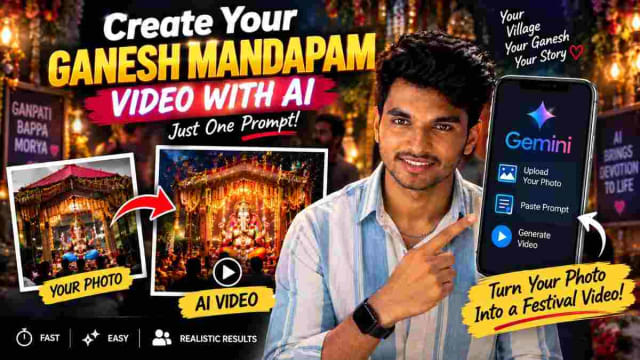
Create Your Ganesh Mandapam AI Video With AI Using One Prompt
Create a stunning Ganesh Mandapam AI video using your own village mandapam photo and a simple AI prompt. Learn how to use Gemini to transform your Ganesh festival image into a creative video and make unique Vinayaka Chavithi content for Instagram Reels, WhatsApp Status and YouTube Shorts.