
Navratri Garba AI Video Prompt
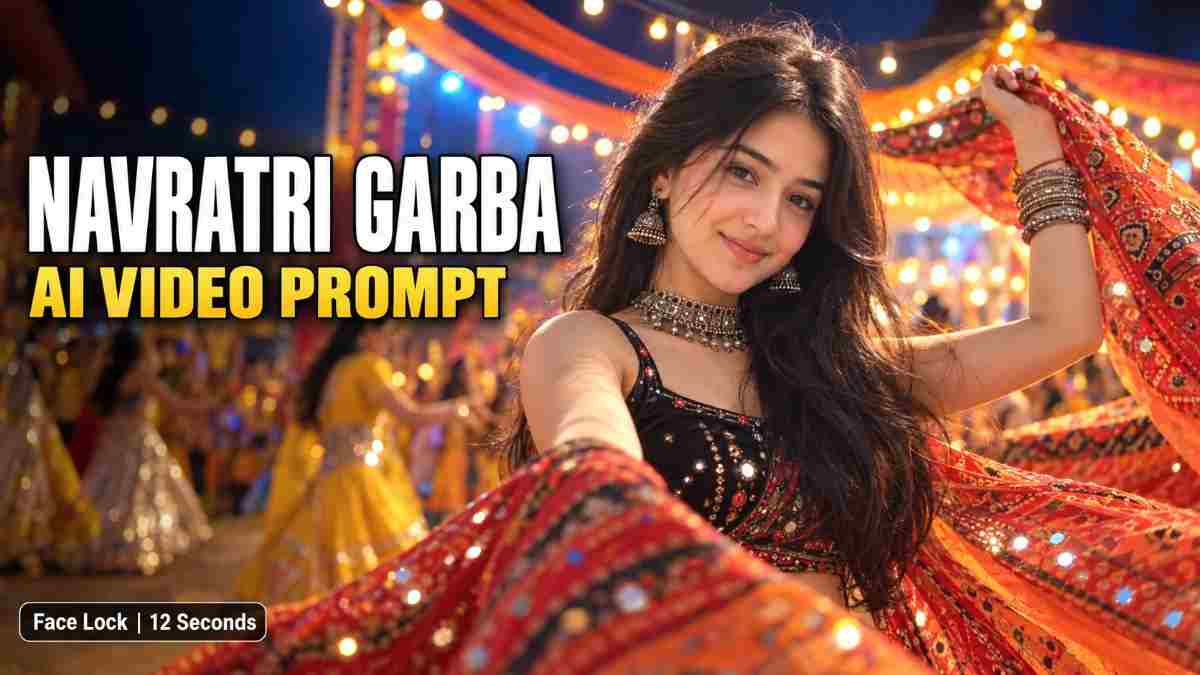
Navratri is one of the most content-saturated times of the year, and a cinematic Garba dance clip made from one's photo fits a Reels post, WhatsApp Status and festival feed equally well. The type of AI clip that most often disappoints is one where the face transforms throughout the video - the nose gets shorter, the jawline disappears, or the person turns into a similar-looking stranger.
This prompt provides a face-locked 12 second night Garba video split into 6 shots, plus an explanation of why each part is needed to adapt the prompt to one's own looks and location.
What This Prompt Creates
| Item | Specification |
|---|---|
| Format | 16:9 horizontal (or 9:16 for Reels) |
| Length | 12 seconds (6 shots, 1-3 seconds each) |
| Scene | Night Navratri festival grounds |
| Style | Cinematic photorealism, handheld follow-cam |
| Requirements | One reference photo of the dancer |
Before Using This Prompt
Use a photo of oneself or someone who has given permission to use their likeness. Never use a photo of a stranger, and never use someone's face to generate content they have not permitted you to post.
Select a high-quality front-facing photo without excessive filters. The quality of the subject's face in the reference photo determines their face quality in the final video.
In Google Flow, upload one's photo as the reference image, pick video, set the ratio and paste in the prompt below. Check the credit cost on the screen before generating, as a 12-second clip might use many more credits than a 1-second test.
Why a Face-Lock Is Necessary
A standard prompt asks the model to imagine a scene with certain elements. This type of prompt rarely lets the user retain full control over the face in the generated video, especially when the subject moves quickly, turns their head, or is caught in shadows and bright light.
A face-locked prompt includes three types of instructions:
- It designates the uploaded photo as the sole basis for generating a character's appearance.
- It asks the model to retain specific facial features throughout the video.
- It prioritizes the face over other instructions if the two conflict.
This is not a foolproof method - the face might still transform drastically if the model interprets the instructions incorrectly. But compared to a standard prompt, a face-locked prompt significantly reduces the likelihood of such an outcome.
The Full Prompt
One can modify the clothing, accessories and setting to match one's preferences.
prompt
✨ AI PromptFORMAT: 16:9 horizontal, 12 seconds, night-time Navratri festival, cinematic photorealism. REFERENCE IMAGE & FACE IDENTITY LOCK The uploaded reference image should be used as the sole basis for generating the woman in this video. The woman in the video should be identical to the woman in the reference image. - Preserve her exact facial identity in all shots: her face shape, forehead, eyes, eyebrows, nose, lips, cheeks, jawline, chin, skin tone and natural skin texture. - Do not change, beautify, reinterpret or replace her face. Do not change her apparent age or facial proportions. - Keep her facial identity consistent even in shots where she laughs, smiles, tilts her head, wears a profile view, points, twirls or wears over-the-shoulder poses. - Her facial expressions can change, but her expressions should not be unrealistic or convey emotions not requested in this prompt. - Keep her facial identity consistent in shots with rapid movements, motion blur, changing perspectives and lighting. - If any instructions conflict with her facial identity, prioritize her facial identity over the rest of this prompt. SUBJECT, OUTFIT & ACCESSORIES The same woman dances joyfully at a Navratri/Garba festival at night. Outfit: black sleeveless blouse with a red-orange Ajrakh-print dupatta with mirror work and gold trim, which she holds, flips and twirls. Jewellery: oxidized silver choker with small bells, large jhumka earrings, black and silver bangles and rings. Her long, dark, wavy hair flows naturally as she dances, and she wears her recognisable hairstyle and hairline throughout. She also wears red lips and a small bindi. ENVIRONMENT An outdoor festival ground at night with criss-cross string-bulb garlands in warm tones, orange fabric curtains, white tents with metal frames, and PAR cans creating lens flares. There are other dancers in the background wearing yellow, silver-white, and teal/red sarees, who are blurred out and visually take a backseat to the main subject. SHOT BREAKDOWN 0:00-0:01 Laughter opener: the woman dances into frame while laughing, her head tucked back, holding the dupatta, then turns under the festival lights. 0:02-0:03 Gesture and giggle: a medium close-up shot of the woman. She turns her profile to you, flicking her fingers playfully, then covers her mouth while giggling and arching her free arm. 0:04-0:05 Arms-up and dupatta flip: her arms rise up in a Garba pose, then she flips the dupatta over her shoulder with a confident smile. 0:06-0:08 Coy chin-rest: soft side view as she rests her cheek lightly against her bangles. A woman with dandiya sticks dances out of focus behind her. 0:09-0:10 Point to camera: the woman playfully points toward the camera while laughing, then turns her profile to you and smiles. 0:11-0:12 Twirl and outro: one full twirl with flowing hair and dupatta, ending in a gentle chin-touch pose and a warm smile. Her face is clearly visible. CAMERA & STYLE Continuous follow-cam with smooth tracking and orbiting. Medium close-ups maintain a large facial view. Soft background bokeh, realistic lens flares, and light motion blur on the dupatta and hair only. Warm golden festival lights blend with dark night tones, with the woman's red-orange dupatta as the primary colour contrast. Natural skin texture, realistic hands and animated but plausible-looking jewellery. Same clothing, jewellery, hairstyle and body shape throughout the video. No subtitles, logos, words or watermarks. Upbeat instrumental Garba music only. NEGATIVE PROMPT Different face, face replacement, identity drift, facial morphing, eyes changed, nose changed, lips changed, jawline changed, skin tone changed, beauty filter, plastic skin, age change, inconsistent face in different shots, distorted facial expression, duplicate main subject, extra limbs, deformed hands, unrealistic fingers, flickering jewellery, changing outfit, disappearing dupatta, jittery camera, focus on the face lost, cartoonish, low-resolution, text, subtitles, logos, watermarks. FINAL PRIORITY The uploaded reference image should be used as the sole basis for generating the woman in this video. Her face should be consistent throughout the video, and only the requested pose, facial expressions, movement and environment should change.
How This Prompt Was Constructed
-
Facial identity instructions come first
Because the model responds to what the user says first, putting the face instructions at the beginning ensures that they are prioritized over outfit and scene instructions.
-
Outfit, jewellery and hair are listed together in one section
Doing so makes it easier to keep track of the items without missing any. This also reduces the likelihood that the model will omit them, such as the dupatta or earrings, halfway through the video.
-
Background dancers are mentioned as taking a backseat to the main subject
This reduces the likelihood that the model will mistake them for the main subject and cause their facial features to bleed into the main character's face.
-
The video is divided into shots with time stamps
This prevents the model from rushing the action, as it understands that specific shots need to last for a predetermined amount of time.
-
Camera instructions mention a follow-cam and medium close-up framing
These terms prompt the model to keep the subject's face large enough to preserve detail. Using extreme wide-angle shots risks making the face too small for the model to keep track of it.
-
The negative prompt lists common issues
Calling out specific undesirable outcomes helps the model avoid them. Mentioning terms such as plastic skin, extra limbs or flickering jewellery reminds the model not to apply these unwanted changes.
How to Customize This Prompt
- For 9:16 Reels: change the ratio to 9:16 and keep the rest of the prompt the same.
- Different clothing: edit only the Outfit section. If one wishes to depict a man or a couple, change "woman" to "man" or "couple" and make sure to provide separate reference photos for each with their own facial identity instructions.
- Shorter clip: shots 1 to 3 can be used as a 6-second sample, which uses fewer credits. This way, one can test the prompt's performance on a shorter clip before attempting a 12-second video.
- Other festivals: change the environment and costume details to fit the local holiday, such as Diwali or Bathukamma.
Additional Tips for Getting Good Results
- Test run before the final upload: always generate a short test clip before using the prompt for a longer video or an important post.
- Variations: if the prompt's variations produce inconsistent results, generate a few similar prompts and select the one that performs best.
- Fix specific shots: if one sees that the face in a particular shot (such as the profile view) is not holding, try running this shot separately instead of regenerating the entire prompt.
- Add music separately: the prompt asks for upbeat instrumental Garba music, but one can add the track of one's choice in an editor such as CapCut after downloading the video.
- Check jewellery and hair: always watch out for these details, ensuring that they do not flicker or disappear from one shot to another.
Ethical Content Creation Guidelines
- Only use photos of people who have permitted you to use their likeness.
- Add a note saying that the video is AI-generated in accordance with each platform's AI content policies. One should not represent an AI video as a real person's performance, even if they have permission to use that person's photo.
One's thoughts on this prompt
What stands out in this prompt is that the facial details are much more important than the environment. When I removed them, the face would change drastically in the profile view and the twirl. When I added them back, the transformation was much less noticeable, although the face was not entirely consistent throughout the video.
The twirl at the end was the most challenging shot because motion blur on the dupatta and hair could cause the face to lose detail. Declaring that motion blur should only appear on the dupatta and hair helped, as did using a continuous follow-cam with a medium close-up to keep the face large and clear.
I find that testing a short clip is a good way to save credit since I can see how the model interprets the prompt in the first few seconds before I attempt a full 12-second video.
Frequently Asked Questions
Will the face always be identical in the photo and the video?
The face-locked prompt reduces drastic transformations, but it cannot prevent all changes in facial features. Fast movements such as twirls or exaggerated lighting can cause the face to change. It is best to request multiple variations and select the one where the face is most consistent with one's photo.
Can I use any other tool besides Google Flow?
I have only used Google Flow for this test, but any image-to-video tool that allows a reference photo should work with this type of prompt.
Can I use this for 9:16 Reels?
Yes, simply change "16:9 horizontal" to "9:16" in the prompt.
Do I need the long negative prompt?
It should help to specify what one does not want, but if one wishes to shorten it, one can remove the least important items, such as text, subtitles or logos.
Can I add music to this prompt?
Describing music in the prompt only defines the mood. To add a particular song to the video, one should record it in the video editing software after downloading the file.
Is it allowed to upload a photo of one's friend?
Always ask for permission before using someone's photo.
How many credits will this take?
It depends on the account, model and settings, but one should check how many credits the 12-second clip requires before uploading.
Conclusion
A Garba dance clip that keeps the face consistent throughout is a great way to post content during Navratri. To do this, make sure to prioritize facial identity by mentioning it first, describing what to keep on the subject (clothing, jewellery and hairstyle) in one section, specifying the timing for each shot, keeping the camera framing tight on the subject and calling out undesirable outcomes in a negative prompt. Test the results with a short clip before recording a longer video. Written by Dinesh, full-stack developer and content creator testing AI video prompts for real-world use.
DINESH
Lead EditorEditorial expert testing, curating, and documenting the best AI tools, gadgets, creative setups, and lifestyle gear in India.
Continue Reading
Recommended Stories
Why Your Instagram Reels Get No Views: How to Analyze Using ChatGPT
Struggling with low Instagram Reels views? Learn how to use ChatGPT AI to analyze your profile and latest five Reels Insights, identify recurring mistakes, and discover practical tips to improve your content strategy.
20 viral ai food animation video prompts omni flash
Create viral-style AI videos in just 2 minutes using Google Flow! 🎬✨ Learn the simple steps to generate amazing videos with AI prompts and discover 15+ ready-to-use video concepts for your next viral reel.
How to Make Viral-Style AI Miniature Video With One Photo
Turn a single photo into a viral-style AI miniature video using ChatGPT and Google Flow. In this guide, learn how to create a miniature image from your photo, animate it into a cinematic video, and generate eye-catching content with simple AI prompts. Perfect for Instagram Reels, Shorts, and creative social media content.