
How to Avoid Faces Changing in AI Photos
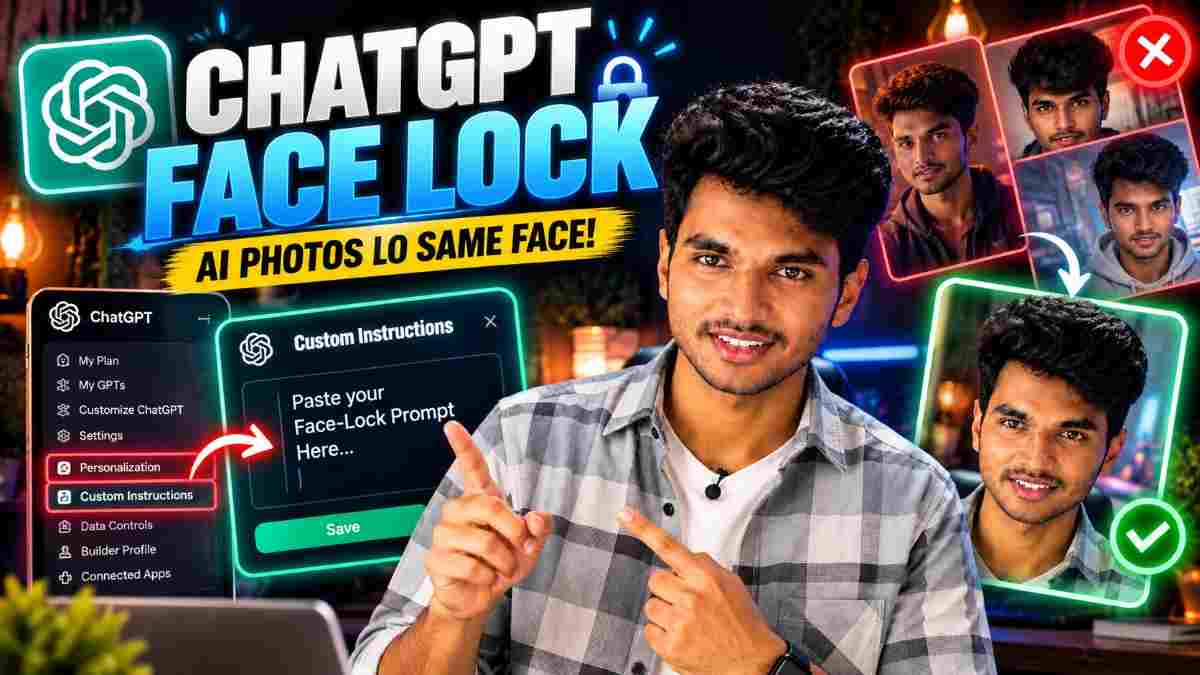
After uploading a photo and asking ChatGPT to make a fashionable portrait of you, you might find that while it looks similar to you, there are some subtle differences. This is the most common problem people face with AI photo prompts.
By saving a face lock prompt in ChatGPT Custom Instructions, this will prevent you having to type out the same text every time. This will show you exactly where to place the text, we will provide you with a complete text to copy and paste and finally give you some honest advice on what it can do.
What is a face lock prompt?
This is a short piece of text which tells ChatGPT to use your image as the 'truth’ for the identity. This includes instructions to keep the same face shape, skin tone and avoid beautification.
This will help to reduce the chances of a face changing however, this does not guarantee it won’t. Image models will alter small details of your image and this can be more obvious if using a strong style, unusual angles or fast paced scenes.
Where to Place the Prompt
Depending on the version of the app, you might have different named menus. Find the closest option to:
Click/tap on the profile icon. Then click/tap on Personalization. Select Custom Instructions.
Paste the text below into the text box and click save.
Custom Instructions will apply to any new chats you start. Depending on your plan and version of the app, this may not be available.
Face Lock Text (Copy and Paste)
prompt
✨ AI PromptWhen I upload a photo of myself and ask you to create/edit an image, use this as the identity. - Keep my face exactly the same. Face shape, jawline, eyes, eyebrows, nose, lips, skin tone and natural skin texture. - Keep my hair style and hairline the same, unless I ask to change it. - No beautification, slimming, lightening, smoothing or ageing. - Make sure my face is recognisable from any angle and any style requested. - Only change what I ask to change. (Clothing, background, lighting, pose and art style). - If my face needs to change due to styling or scene, keep it the same and let me know. - No images of real people. Customise this to fit your needs. You could add something like ‘I wear glasses, keep them’ or ‘keep my beard’.
Why these lines are there
Line Purpose Use this as the identity. Tells ChatGPT to use the image as the ‘truth’. List all the features. Tells the model what to keep. No beautification. Stops the most common changes. Only change what I ask. Stops the model from changing your entire look. Keep my face and let me know. Adds a guideline for when there is a clash between style and identity.
How to try it
Start a new chat. Upload a clear front facing image of yourself. Ask for something simple. E.g. Make me a studio portrait wearing a black suit. Check your image looks similar to your photo. Has your face shape, jaw, nose and skin tone changed? Try asking for a more styled image. E.g. fantasy or cartoon style.
Tips
Use a clear, well lit, front facing image with no heavy filters. Add a one line prompt reminder. E.g. Keep my face exactly the same as my uploaded image. Keep your prompt simple. The more changes you ask for, the higher the chance of a face change. If you are asking for a very styled look (anime or 3d toys) there will be more changes. Be careful when comparing. If your image has changed, let them know what has changed (E.g. My jaw is too slim) and ask them to fix it. Don’t start from scratch. If possible, use multiple angles of yourself.
Limitations
Depending on the model, image and style, results can vary. Always compare to your original image. This will only apply to your account. You can’t use it on other apps or other people’s chats.
Too long or conflicting instructions can affect the quality. Keep it short. Don’t include any personal information such as your address.
Privacy
Your face is personal information. Check the privacy settings and data control options on ChatGPT. Only use images of yourself or adults who have clearly given their permission. Don’t use children’s images. Label any AI generated images. Don’t present them as real images. You can also edit/delete your Custom Instructions at anytime.
My Experience
The main benefit was not having to type out the same text every time. By having this saved, my portraits looked more like my image when using simple styles such as studio portraits or changing outfits. However, there were still issues with heavily styled looks. The most common issue was my face being slightly thinner or smoother. Adding a one line reminder and asking for a specific fix helped more. I now use it as a base.
FAQs
Where is Custom Instructions on ChatGPT?
Click on your profile icon. Then click on Personalization. Look for Custom Instructions. Depending on your plan and version, the names may differ.
Will this ensure my face stays the same?
No, it will just reduce the chances. Strong styles will cause more changes.
Do I have to paste this into every chat?
No, once saved it will apply to all your new chats. However you can add a short reminder.
Can I use this on another persons image?
Only if they have clearly given permission. Don’t use on children.
Will this work on other AI image tools?
This will only apply to your ChatGPT account. You can paste the same text into the prompt.
Why did my face still change?
This depends on the style, angle, lighting and image used. Try using a clearer image, simple prompt and ask for a specific fix.
Can I edit/delete this?
Yes, you can do this from the same menu.
Conclusion
By saving a face lock prompt in ChatGPT Custom Instructions, this is a quick way to reduce any face changes in your AI images. Use the text provided, try it out in a new chat, add a short reminder to any important prompts and compare to your original image.
Written by Dinesh, full stack developer and content creator trying out AI image prompts.
Continue Reading
Recommended Stories
How to Create a Netflix-Style Poster Using ChatGPT
How to Turn a Selfie Into a One-Page Report With ChatGPT
Full ChatGPT prompt to turn a selfie into an AI face analysis infographic, with honest notes on what the scores mean and privacy tips.
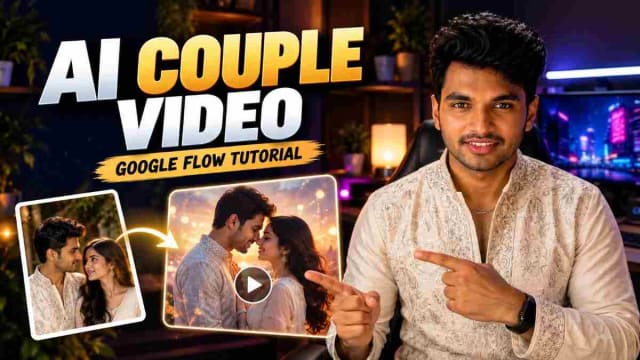
Navratri Love Story AI Video: 2-Clip Prompt With Tenglish Dialogue
Make a 20-second Navratri love story from two connected 10-second clips, with Tenglish dialogue and face and outfit continuity. Includes both Google Flow prompts.