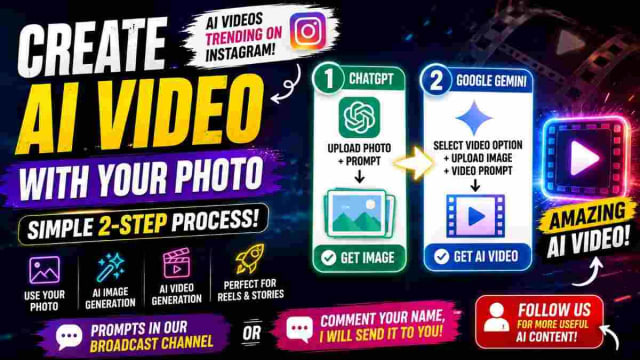
Google Flow AI Video Prompt To Create An AI Video With Your Lover Or Female Friend
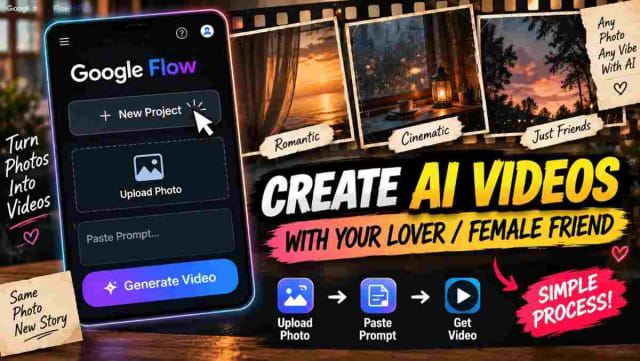
scroll down for prompt
AI videos are rapidly growing in popularity on Instagram and couple-style videos are one of the easiest ways to gain attention. Have you ever wanted to create an engaging AI video with your lover or female friend?
You're now able to experiment with the tool known as Google Flow and a simple video prompt!
The process is easy to access and you won't require advanced video-editing skills to execute the concept. All you'll need is a suitable reference photo and the proper prompt.
How to Create an AI Video with Google Flow
To begin creating your Google Flow AI video, go ahead and open Google Flow and create a new project. This will give you a space to begin your video generation process.
Once you've created your Google Flow project, go ahead and upload the photo of the person you'd like to include. Make sure you have a clear image to provide to the tool.
Next, you'll want to add the secret AI video prompt. The prompt will provide instructions about the scene, movement, and overall appearance of the generated video.
Once you've added the required information, go ahead and begin the generation process. Google Flow will be able to take the photo and prompt and create the video you want.
Why Use a Reference Image?
A reference image can help set the visual appearance of the person in your AI-generated scene. When creating your personalized content, it's important to choose a clear and appropriate image.
To get the best results, use a clear picture of the person's face and try to avoid blurred or distorted photos.
It's also important to have the appropriate permission to use someone else's photo, especially if you plan to publish the generated video publicly.
Create Creative AI Couple Videos
The same process can be done for different creative concepts. You'll be able to experiment with different romantic cinematic scenes, casual moments, travel-style videos, friendship concepts and more.
The important thing is to describe the scene properly in the prompt. You can describe the environment, camera angle, lighting, expressions, movement and overall cinematic style.
A detailed prompt will give you more control over the concept compared to a short instruction.
How to Get the AI Video Prompt
If you'd like to recreate the type of video we've shown in this tutorial, you can use the secret AI video prompt along with your own reference image.
For social-media creators, this type of workflow is perfect for creating Instagram Reels, experimental AI content and personalized video concepts.
To get the prompt, go ahead and comment "PROMPT" on the reel and follow the page. The prompt can then be delivered via DM according to the creator's workflow.
Tips for Better Google Flow Videos
Here are a few simple tips when creating your AI video:
- Use a clear reference image.
- Keep your prompt specific and easy to understand.
- Describe the desired environment and camera movement.
- Mention the visual style you want to include.
- Avoid adding too many actions to your short video.
- Check the generated result before sharing it.
- Get permission before using someone else's image.
prompt
✨ AI PromptCreate an exact 10-second, 16:9 landscape, 60fps, normal real-time-speed, ultra-photorealistic cinematic live-action video using @IMAGE1 as the strict female character identity reference and the uploaded six-scene storyboard as the exact visual and shot reference; preserve the woman’s exact face, facial proportions, eyes, eyebrows, nose, lips, jawline, skin tone, hairstyle, hair length, body proportions, natural appearance and distinctive facial characteristics with absolute identity lock throughout the entire video, with no face morphing, beautification, age change, body reshaping or identity drift. Recreate ONLY the six scenes shown in the storyboard, in exactly the same order, with the same character, same red saree, same patterned/gold-bordered saree pallu, same blouse, same earrings, bangles and jewelry, same hairstyle, same natural appearance, same outdoor courtyard architecture, same stone pathway, same greenery, same large carved wooden doorway, same lighting, same framing and same visual composition. SCENE 1 — 0.00–2.00s: begin with the exact rear-view composition shown in storyboard Scene 1, camera positioned behind the woman at approximately the same height and distance, showing her from the back as she walks naturally forward along the paved stone pathway; her long dark hair hangs down her back and moves subtly with her walking motion, the red saree and patterned border move naturally with each step, her arms remain relaxed naturally at her sides, with the landscaped garden, stone railing and pale architectural columns visible exactly as in the reference; SCENE 2 — 2.00–4.00s: continue with the exact wider front/three-quarter composition shown in Scene 2, where the woman performs the same graceful turn while extending her arms outward, creating the same elegant saree movement; her red pallu and saree fabric flow naturally outward from the rotation, her hair follows the body momentum with realistic inertia, she maintains the same natural posture and expression, while the same stone walkway, trimmed greenery, planters and pale building remain in the background; SCENE 3 — 4.00–6.00s: cut to the exact close-up composition shown in Scene 3 in front of the large carved wooden doorway, framing the woman from approximately the chest upward; she raises both hands naturally near the sides of her face/hair exactly as shown, looks directly toward the camera and gives the same soft natural smile, maintaining identical facial identity, hairstyle, earrings, saree border and expression, with the carved wooden door filling the background; SCENE 4 — 6.00–8.00s: reproduce the exact medium/full-body composition shown in Scene 4, with the woman seated on the stone floor directly in front of the same large carved wooden doorway and pale stone wall, her red saree spread naturally around her body, looking downward while adjusting/arranging the saree with her hands exactly as shown; preserve the same seated posture, saree placement, body orientation, camera height, framing and background architecture, with physically accurate cloth folds and no additional movement; SCENE 5 — 8.00–9.00s: reproduce the exact side/three-quarter composition shown in Scene 5, with the woman seated/positioned near the same wooden doorway and turning her upper body toward the camera, looking back over her shoulder and smiling naturally; her long hair falls naturally behind her and the red saree drape remains consistent with the previous scene, with the same camera perspective and background; SCENE 6 — 9.00–10.00s: finish with the exact close front-facing composition shown in Scene 6, framing the woman from approximately the chest upward in front of the same carved wooden doorway; she smiles naturally toward the camera while her right hand remains near her shoulder/saree area as shown, with the same head tilt, facial expression, jewelry, saree border and final pose, ending cleanly on the same smiling expression.Maintain continuous realistic human motion, physically accurate hair, cloth and jewelry physics, natural skin texture, realistic hands and fingers, subtle cinematic motion blur, natural daylight, soft realistic shadows, shallow natural depth of field and premium ultra-photorealistic live-action cinematography. Keep every scene visually faithful to the storyboard: same camera distance, lens perspective, camera height, subject scale, background geography, lighting direction, color tone and composition. NORMAL REAL-TIME SPEED ONLY: no slow motion, no speed ramping, no freeze frame, no time stretching and no artificial acceleration. Do not add walking beyond Scene 1, do not add dancing, waving, extra hand gestures, extra head movements, extra camera movement, zooms, camera orbit, new props, new people, new accessories, wardrobe changes or background changes. Absolute negative constraints: no identity drift, no face morphing, no facial beautification, no age change, no body distortion, no hairstyle change, no saree change, no jewelry change, no extra limbs, malformed hands, finger distortion, duplicated body, unnatural hair, artificial wind, floating fabric, cloth clipping, CGI appearance, plastic skin, flickering, exposure shifts, oversharpening, oversaturation, background replacement, scene invention, text, subtitles, watermark or logo. The final video must contain exactly these six storyboard scenes, exactly in this order, with the same visual actions and compositions, recreated as faithfully as possible in exactly 10 seconds, 16:9 landscape, 60fps and normal real-time speed.
Conclusion
Creating an AI video with your lover or female friend using Google Flow can be a simple way to experiment with trending AI content. By creating a new project, uploading a proper reference image and adding a simple video prompt, you can generate creative short-form video concepts without traditional filming.
If you're interested in Google Flow AI, AI video prompts, couple AI videos and Instagram Reels, this workflow is a great starting point for exploring personalized AI video creation.
dinxsh7
EditorEditorial contributor researching practical guides, tech discoveries, and curated recommendations for Dinesh Picks.
Continue Reading
Recommended Stories
Telugu AI Video Prompt for Natural Dialogue & Perfect Lip Sync
Create realistic Telugu AI videos with natural Telugu pronunciation, conversational voice delivery, and accurate lip-sync. This guide explains how to use a detailed Telugu AI video prompt to create realistic conversations, improve pronunciation, add natural pauses and ensure the correct character's mouth movements match the spoken dialogue.
How to Create Viral AI Videos with Google Flow Using One Prompt