
AI Father Daughter Video with Gemini: Easy AI Video Tutorial
SCROLL DOWN FOR ALL PROMPTS
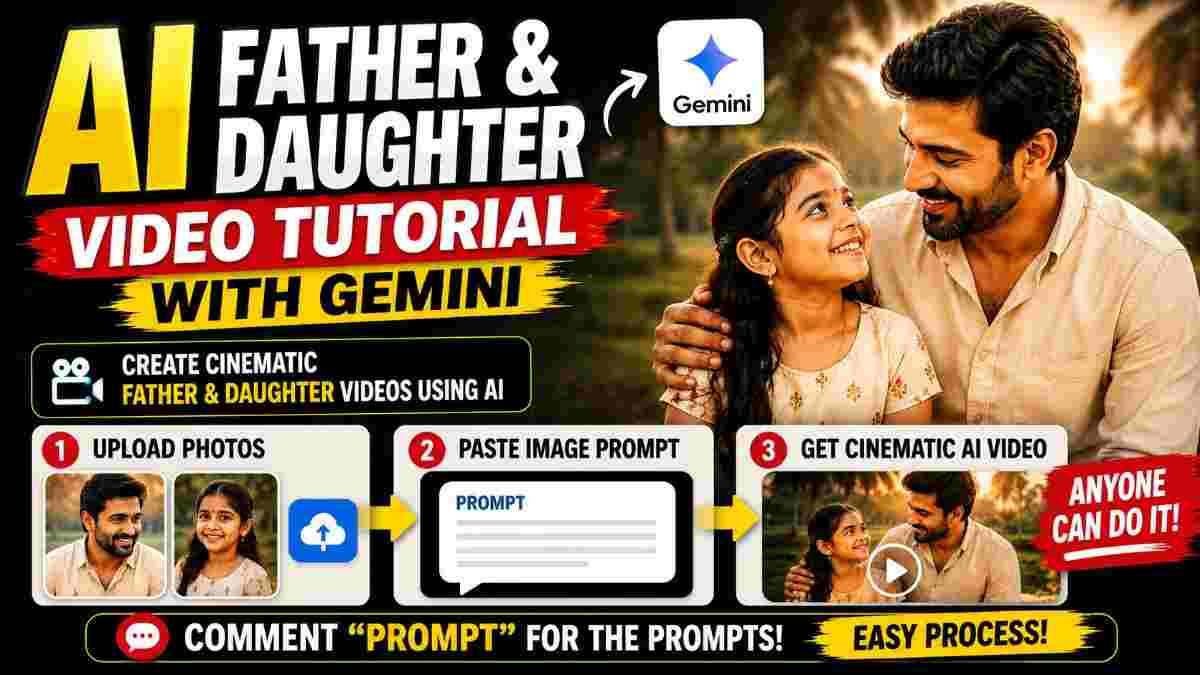
AI-father-and-daughter videos are taking over social media, and now you can create a beautiful father and daughter AI video with simple prompts and reference images. With Gemini, you can first generate a suitable image and then convert this image to a cinematic video with a dedicated video prompt.
This method is perfect for making AI family videos, father daughter videos, cinematic AI videos, Gemini AI videos, and Instagram Reels without advanced video-editing skills.
What You Need to Create the AI Video
To create this kind of father and daughter video, you only need two things: suitable reference photos and the right AI prompts.
You can use a clear photo of yourself and a clear photo of your daughter. Higher quality reference images are likely to be easier to work with.
The process is divided into two stages:
-
Generate the needed image.
-
Convert the generated image to video.
This two-step workflow gives you more control over the result.
Step 1: Open Gemini and Upload the Photos
First, open up the Gemini app and launch an image-generating conversation.
Upload your picture and your daughter's picture. Make sure that the images are clear and a good visual reference.
After uploading the pictures, paste in the AI image prompt that you want to use for creating the father and daughter scene.
The prompt should describe the environment, clothing, pose, lighting, camera angle and overall visual style that you want.
Once Gemini has processed the request, it will generate an image based on your instructions.
Step 2: Generate the Father and Daughter Image
After pasting the image prompt, wait for Gemini to generate the image.
If you want a cinematic result, the prompt can include details such as realistic lighting, natural expressions, realistic skin texture, cinematic composition and a suitable background.
The key part is to make the prompt clear instead of including unnecessary instructions.
Once you are happy with the generated image, save it for the next step.
Step 3: Upload the Generated Image Again
Now we arrive at the video-generating process.
Upload the generated father and daughter image back into Gemini or the AI video generating you're using.
The generated image becomes the visual starting point for the video.
Next, paste your AI video prompt. The video prompt should explain exactly what should happen during the video, including character movements, camera movement, expressions and environment.
For example, you can instruct the characters to look at each other, smile naturally, walk together or share a warm family moment.
Step 4: Customize the Daughter's Name
If your video prompt has a placeholder such as "Kanımma", replace this placeholder with your daughter's name as required by your prompt.
This allows you to customize the dialogue or scene for your own video.
Before generating the final video, double-check the prompt and make sure that the necessary name and other details are correctly entered.
Step 5: Generate the AI Video
Once you've uploaded the image and added the video prompt, go ahead and generate the video.
The AI will use the uploaded image and your prompt to generate the video.
For social-media content, 9:16 vertical aspect-ratio is a good choice as it fits platforms such as Instagram Reels and YouTube Shorts.
A 10-second clip can also be combined with other clip if you want to make a longer tutorial or story.
Tips for Better Gemini AI Videos
Use high-quality reference photos whenever possible. Avoid blurry or heavily edited photos as they may prove to be harder to create a consistent result.
Your prompt should also clearly describe the desired camera angle, lighting, environment and movement.
To get natural-looking videos, include instructions such as:
Natural facial expressions
Realistic blinking
Smooth moves
Accurate lip-sync
Natural movement of hair
Realistic lighting
Cinematic depth of field
Stable movement of the camera
Don't make too many complicated actions for a short 10-second video.
Create Your Own Father and Daughter AI Video
The entire workflow is simple: upload your picture and your daughter's picture to Gemini, generate the image with an image prompt, upload that generated image again, and then use the video prompt to make the final AI video.
This approach can help newbies get started experimenting with AI-generated family content and create personalized visuals for Instagram Reels, WhatsApp Status and other social-media platforms.
Always make sure you have the consent to use other people's photos, especially when creating or sharing AI-generated content involving family members or others.
Image
PROMPT
✨ AI PromptCreate a highly realistic cinematic father-and-daughter portrait using the two uploaded reference images. REFERENCE ASSIGNMENT: @Image1 = FATHER @Image2 = DAUGHTER / GIRL CHILD Use @Image1 ONLY as the reference for the father. Use @Image2 ONLY as the reference for the daughter. The final image must preserve the recognizable appearance of both people from their respective reference images. ---- HIGHEST PRIORITY — FACE IDENTITY + FACE CLARITY --- The father's face must closely preserve the facial appearance shown in @Image1. The daughter's face must closely preserve the facial appearance shown in @Image2. Both faces must be: - clearly visible - fully readable - sharp - naturally photorealistic - front-facing toward the camera - unobstructed - consistently represented - naturally proportioned IMPORTANT: BOTH FATHER AND DAUGHTER MUST LOOK DIRECTLY AT THE CAMERA. Their eyes must be clearly visible and directed toward the camera lens. Do NOT make them look at each other. Do NOT make either person look sideways. Do NOT turn either face into profile. Do NOT hide either face behind hair, hands, clothing or another object. Their faces should be the main visual focus of the image. --- FATHER — @Image1 --- Preserve the father's recognizable facial characteristics from @Image1: - face shape - forehead - eyes - eyebrows - nose - lips - cheeks - jawline - beard/facial hair if present - hairstyle - hairline - skin tone - natural facial proportions - natural facial asymmetry - age appearance Do not redesign his face. Do not generate a generic father. Do not change his facial structure. Keep his face natural and realistic. --- DAUGHTER — @Image2 --- Preserve the daughter's recognizable facial characteristics from @Image2: - face shape - forehead - eyes - eyebrows - nose - lips - cheeks - jawline - hairstyle - hairline - hair texture - skin tone - natural facial proportions - natural child facial features - age appearance Do not redesign her face. Do not generate a generic child. Keep her face natural, innocent and photorealistic. --- DIRECT CAMERA GAZE --- Both characters are positioned naturally together and looking directly into the camera. Father: direct eye contact with the camera, warm natural smile, calm and affectionate expression. Daughter: direct eye contact with the camera, gentle innocent smile, natural happy expression. Their eye direction must remain aligned with the camera lens. Both faces should be oriented sufficiently toward the camera for a clear frontal facial view. No profile angle. No extreme three-quarter angle. No looking away. No closed eyes. No squinting. No hair covering the eyes. --- POSE & COMPOSITION --- Create a warm father-and-daughter family portrait. The father naturally holds/supports the daughter close to him. The daughter is comfortably positioned beside or slightly in front of him. Both bodies should feel naturally connected. Their posture should be relaxed and believable. Both faces remain clearly visible. Do not allow one face to overlap or cover the other. Keep enough separation between the two faces so that facial details are clearly readable. Composition should resemble a professionally photographed family portrait. Medium close-up framing. Both characters occupy the main central area of the frame. Faces should be large enough to clearly see their facial details. --- CLOTHING --- Use the clothing shown in the reference images. @Image1 controls the father's clothing. @Image2 controls the daughter's clothing. Preserve the important: - clothing style - colors - patterns - fabric appearance - accessories Do not randomly generate new outfits. Do not change their clothing unnecessarily. --- BACKGROUND --- Create a warm, realistic Indian home environment. Use subtle architectural details, natural greenery and soft background elements. Keep the background clean and unobtrusive. The background must support the subjects rather than compete with their faces. -- LIGHTING -- Warm natural daylight. Soft diffused light falling naturally across both faces. Gentle facial highlights. Natural skin tones. Soft realistic shadows. Subtle background separation. Both faces must be evenly and clearly illuminated. Do not create harsh shadows across either face. Do not overexpose the skin. Do not make the faces too dark. ================================================== CAMERA ================================================== Professional full-frame portrait photography. Eye-level camera. Camera positioned directly in front of the father and daughter. Both subjects looking directly into the lens. Natural 50mm–85mm portrait perspective. Medium close-up composition. Sharp facial focus. Natural shallow depth of field. Soft realistic background bokeh. Faces remain the sharpest elements in the frame. No extreme wide-angle distortion. No fisheye distortion. ================================================== PHOTOREALISM ================================================== Ultra-realistic live-action photography. Natural human skin texture. Visible subtle skin details. Realistic eyes with natural reflections. Realistic hair strands. Realistic clothing texture. Natural facial micro-details. Realistic hands and fingers. Natural lighting interaction with skin and hair. The final result should look like a real photograph captured with a professional camera. Avoid an AI-generated appearance. ================================================== EMOTIONAL STYLE ================================================== Warm. Heartfelt. Natural. Family-oriented. Genuine father-daughter affection. The father gives a subtle protective and loving smile. The daughter gives a gentle innocent smile. No exaggerated emotion. No dramatic acting. The moment should feel like a genuine family photograph. ================================================== FACE QUALITY PRIORITY ================================================== FACE CLARITY > CHARACTER IDENTITY > NATURAL EXPRESSION > COMPOSITION > BACKGROUND DETAILS If any visual detail conflicts with facial clarity, prioritize the faces. Keep both faces: CLEAR + SHARP + NATURAL + RECOGNIZABLE. ================================================== STRICT NEGATIVE PROMPT ================================================== no face swap no face morphing no identity mixing no identity drift no generic faces no facial redesign no facial reconstruction no facial distortion no different face no changed facial structure no changed eyes no changed nose no changed lips no changed jawline no age alteration no skin tone alteration no hairstyle change no face covering no hair covering eyes no looking away no looking at each other no side profile no extreme three-quarter profile no closed eyes no blurred face no soft focus on faces no distorted eyes no artificial eyes no plastic skin no excessive skin smoothing no beauty filter no exaggerated smile no exaggerated emotion no unnatural expression no random clothing no clothing redesign no body deformation no extra fingers no malformed hands no duplicated limbs no unnatural anatomy no CGI no cartoon no anime no illustration no 3D render no artificial background no background distortion no social media interface no likes no comments no icons no text no subtitles no watermark ================================================== FINAL MASTER INSTRUCTION ================================================== @Image1 = FATHER. @Image2 = DAUGHTER. Use the reference images as the primary visual references for their respective identities and clothing. Create a clean, ultra-photorealistic cinematic father-and-daughter portrait. MOST IMPORTANT: THE FATHER MUST LOOK DIRECTLY AT THE CAMERA. THE DAUGHTER MUST LOOK DIRECTLY AT THE CAMERA. BOTH FACES MUST BE CLEARLY VISIBLE. BOTH FACES MUST BE SHARP AND NATURAL. BOTH FACES MUST REMAIN FAITHFUL TO THEIR RESPECTIVE REFERENCE IMAGES. Do not make them look at each other. Do not turn them sideways. Do not obscure their faces. Create a warm, genuine, emotionally beautiful family photograph with clear direct eye contact toward the camera.
Video
PROMPT
✨ AI PromptCreate a photorealistic cinematic South Indian father-and-daughter video using the provided father-and-daughter reference image. CHARACTER CONSISTENCY: Keep the exact same father and daughter throughout the entire video. Preserve their faces, hairstyles, clothing, age, skin tone, body proportions and identity. The father is holding his young daughter naturally at his waist. DIALOGUE — EXACT SPEAKER ORDER: 👨 FATHER: “kanimma,స్కూల్ లోపల కానీ” 👧 DAUGHTER: “స్కూల్ బయట కానీ” 👨 FATHER: “ఊరు ఇవతల కానీ” 👧 DAUGHTER: “ఊరు అవతల కానీ” 👨 FATHER: “చూసింది చూసినట్టుగా” 👧 DAUGHTER: “నాన్నకి చెప్పేయాలి.” VOICE & LIP-SYNC: Generate natural Telugu voices for both characters. The father and daughter must speak ONLY their assigned lines. Never swap speakers. Synchronize every Telugu syllable precisely with the correct character's mouth movement. When the father speaks, only the father's lips move. When the daughter speaks, only the daughter's lips move. Maintain natural pauses between each line, creating a quick, playful father-daughter call-and-response rhythm. FATHER PERFORMANCE: The father speaks warmly and affectionately, with a slightly playful teaching tone. He looks at his daughter while saying his lines and uses subtle facial expressions and small hand gestures. DAUGHTER PERFORMANCE: The daughter responds immediately after each father's line. She should sound innocent, confident and playful, as though she already knows what her father is going to say. Her expressions should change naturally between attentive listening, a tiny smile and playful confidence. TIMING: Father → Daughter → Father → Daughter → Father → Daughter. Keep the exchanges quick and natural, with approximately 0.2–0.4 seconds between each response. SCENE: Warm authentic South Indian/Telugu family environment. Natural evening lighting, realistic Indian surroundings, cinematic shallow depth of field. CAMERA: Start with both characters in frame. During each line, subtly shift focus toward the speaking character. Use gentle close-ups for the final two lines. End with both father and daughter smiling naturally at each other. AUDIO: Natural Telugu male father voice and young Telugu female/child voice. Clear pronunciation. Conversational volume. No background dialogue. No additional words. No narration. No subtitles. REALISM: Photorealistic faces, accurate Telugu mouth shapes, natural blinking, realistic eye movement, subtle breathing, realistic hand movements and natural body motion. IMPORTANT: Do not make both characters speak simultaneously. Do not make the daughter lip-sync to the father's lines. Do not make the father lip-sync to the daughter's lines. Preserve the exact six-line dialogue and speaker order.
Conclusion
Making a father and daughter AI video with Gemini can be done by following a simple image-to-video workflow. Instead of trying to generate the whole video in one go, first make the desired image and then use it as a basis for your video.
With the right reference photos, a clear image prompt and detailed video prompt, you can create personalized cinematic family videos for social media. The same workflow can also be adapted for different kinds of family scenes, locations, outfits and cinematic styles.
If you're experimenting with Gemini AI video prompts, this two-step method is a simple way to start.
Continue Reading
Recommended Stories

100+ AI Couple Photo Prompts: Best Prompt Codes for Stunning Couples Pictures
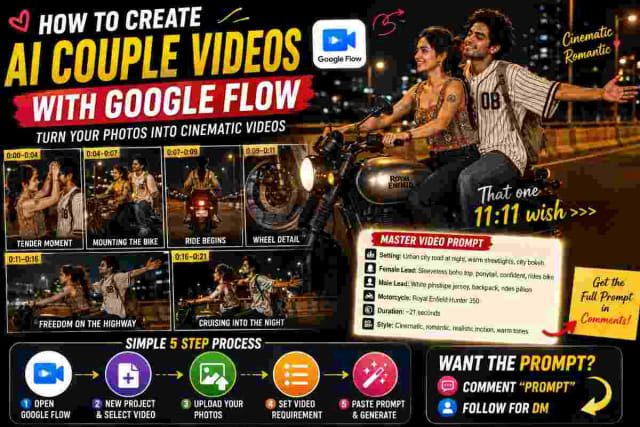
Cinematic AI Couple Video with Google Flow – Master Prompt

Google Flow AI: How to Create Cinematic Videos Using Simple Commands Essay
20 camera movement commands you can type into Google Flow prompts (dolly in, crane, rack focus, whip pan and more), with what each does, an example prompt and when to use it.