
12 AI Prompts to Turn One Photo of a Garment into a Full Fashion Shoot
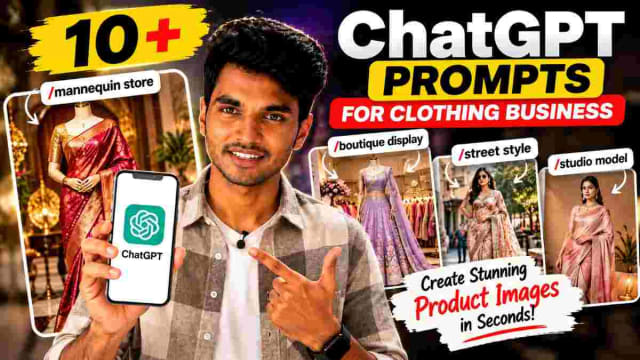
If you sell sarees, dresses and shirts, you don't need a studio and a model to create professional fashion images of your products! Upload a photo of a single garment to an AI image tool and use the prompts below to generate mannequin photos, boutique displays, editorial fashion images, and social media posts while preserving the design, color and fabric of the garment.
How to use: upload a clean photo of your saree, dress or shirt to AI chat tool that allows image generation, paste the instructions below the prompt name (where applicable) and insert your brand name where needed.
AI Garment Fashion Prompts
| Command | What it does |
|---|---|
/mannequinshowcase | Mannequin Display |
/boutiqueshelf | Boutique Display |
/urbanwear | Street Style |
/studioshoot | Studio Model Shoot |
/editorialmodel | Fashion Editorial |
/cataloglisting | Catalog Image |
/onlinestorehero | E-commerce Image |
/premiumeditorial | Luxury Editorial Look |
/lookbookframe | Lookbook Style |
/adcampaignvisual | Social Media Campaign |
/showroomfeature | Showroom Display |
/verticalreel | Instagram Ready Image |
/mannequinshowcase - Mannequin Display
✨ AI PromptDisplay the uploaded garment on a premium classical mannequin, preserving the exact design, color, pattern, and fabric detail.
/boutiqueshelf - Boutique Display
✨ AI PromptStyle the uploaded garment inside an elegant boutique interior with realistic retail lighting, and a premium shelf/rack setting.
/urbanwear - Street Style
✨ AI PromptShow the uploaded garment on a model in a candid, modern urban setting, preserving the garment's details.
/studioshoot - Studio Model Shoot
✨ AI PromptCreate a premium studio photoshoot using the uploaded garment, a professional model, clean lighting and polished commercial styling. Brand name: [your brand name].
/editorialmodel - Fashion Editorial
✨ AI PromptCreate a polished fashion-editorial photo using the uploaded garment, preserving the exact outfit for a realistic campaign look.
/cataloglisting - Catalog Image
✨ AI PromptGenerate a high quality catalog-style image of the uploaded garment on a professional model with the garment details clearly visible.
/onlinestorehero - E-commerce Image
✨ AI PromptCreate a high quality e-commerce image from the uploaded garment using professional lighting, a clean background and accurate product presentation.
/premiumeditorial - Luxury Editorial Look
✨ AI PromptCreate a high-end editorial image from the uploaded garment using sophisticated lighting, elegant styling and a premium brand aesthetic.
/lookbookframe - Lookbook Style
✨ AI PromptCreate a fashion lookbook-style image featuring the uploaded garment using a stylish model and a coordinated, clean background.
/adcampaignvisual - Social Media Campaign
✨ AI PromptCreate a bold, visually striking campaign image using the uploaded garment suitable for social media advertising.
/showroomfeature - Showroom Display
✨ AI PromptPresent the uploaded garment in a premium showroom using elegant retail interiors and realistic lighting.
/verticalreel - Instagram Ready Image
✨ AI PromptCreate a trendy vertical image using the uploaded garment as the clear focal point, with a modern social-media feed ready styling.
My Experience Using These Prompts
I tried /mannequinshowcase and /studioshoot prompts on the same garment photo to compare. The mannequin version preserved the fabric texture and color most accurately - it's the safest place to start if you only want a clean product shot. The studio and editorial prompts (/studioshoot, /editorialmodel) would need a second generation attempt more frequently as the addition of the full human model gives the AI more space to stray from the garment's exact pattern or color. If you have fine embroidery or print detail in your source garment photo, start with /mannequinshowcase or /cataloglisting first, confirm the details hold, then generate the model-based prompts once you're confident that the garment is being preserved correctly.
Final Tip
Make sure your source photo is well-lit and uncluttered - the clearer the original garment photo is, the more accurately the AI will preserve the color, pattern and fabric texture in each of the styles above.
FAQ
Do these prompts work for any type of clothing?
Yes - sarees, dresses, shirts and most garment types work with these prompts, though the highly textured fabrics (sequins, heavy embroidery) may need a couple of extra generations to preserve the detail accurately.
Will the AI change the actual garment design?
It shouldn't, if the prompt is followed as written - each prompt explicitly asks the AI to preserve the exact design, color and pattern. Still, cross-check each result against the original photo before using it commercially.
Which prompt is best for a quick Instagram post?
/verticalreel is built specifically for vertical, feed-ready social content. For product carousels, /cataloglisting or /onlinestorehero also work well.
Can I use a generated image for paid ads?
Yes, but always compare the AI output against your actual product first - for paid advertising, accuracy matters more than for a casual social post, since misrepresenting a product can lead to returns or complaints.
Written by Dinesh — full-stack developer and content creator testing AI photo prompts for real-world product and fashion use.
DINESH
Lead EditorEditorial expert testing, curating, and documenting the best AI tools, gadgets, creative setups, and lifestyle gear in India.
Continue Reading
Recommended Stories
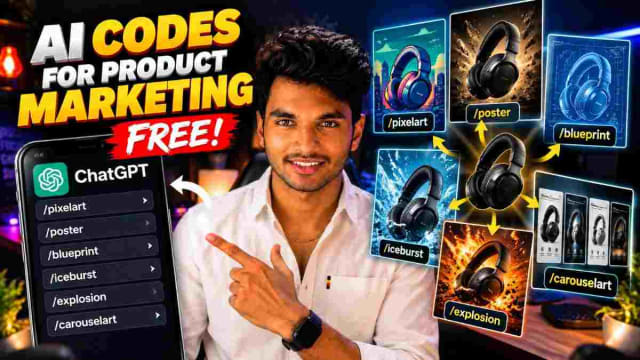
150 AI Prompts Every Operator Needs
Discover 150 powerful ChatGPT commands that can help you make better decisions, build business offers, create social media content, produce videos, and improve your writing. From commands like /reel, /caption, and /thumbnail to strategic commands for planning, research, and content refinement, this guide gives you a practical AI command library you can reuse for everyday work and content creation.
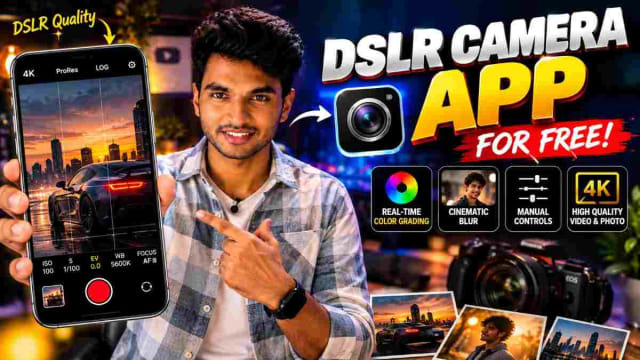
Blackmagic Camera: Turn Your Phone Into a DSLR-Style Cinema Camera
Turn your smartphone into a DSLR-style camera with a powerful camera app that offers manual controls, real-time color grading, cinematic blur, ISO, focus, shutter speed, and white balance. 📸🎥 Discover how this app can help you capture more professional-looking photos and videos directly from your phone.
How to Create AI Car Edit Videos for Free With AI
Learn how to create cinematic AI car edit videos using Flow AI. Upload your photo and a reference car video, add an AI video prompt, and generate a realistic car edit for your social media content.