
8 Professional Signature Styles Using ChatGPT AI
Generate a curated sheet of 8 professional handwritten signature styles tailored for any specific name using ChatGPT.
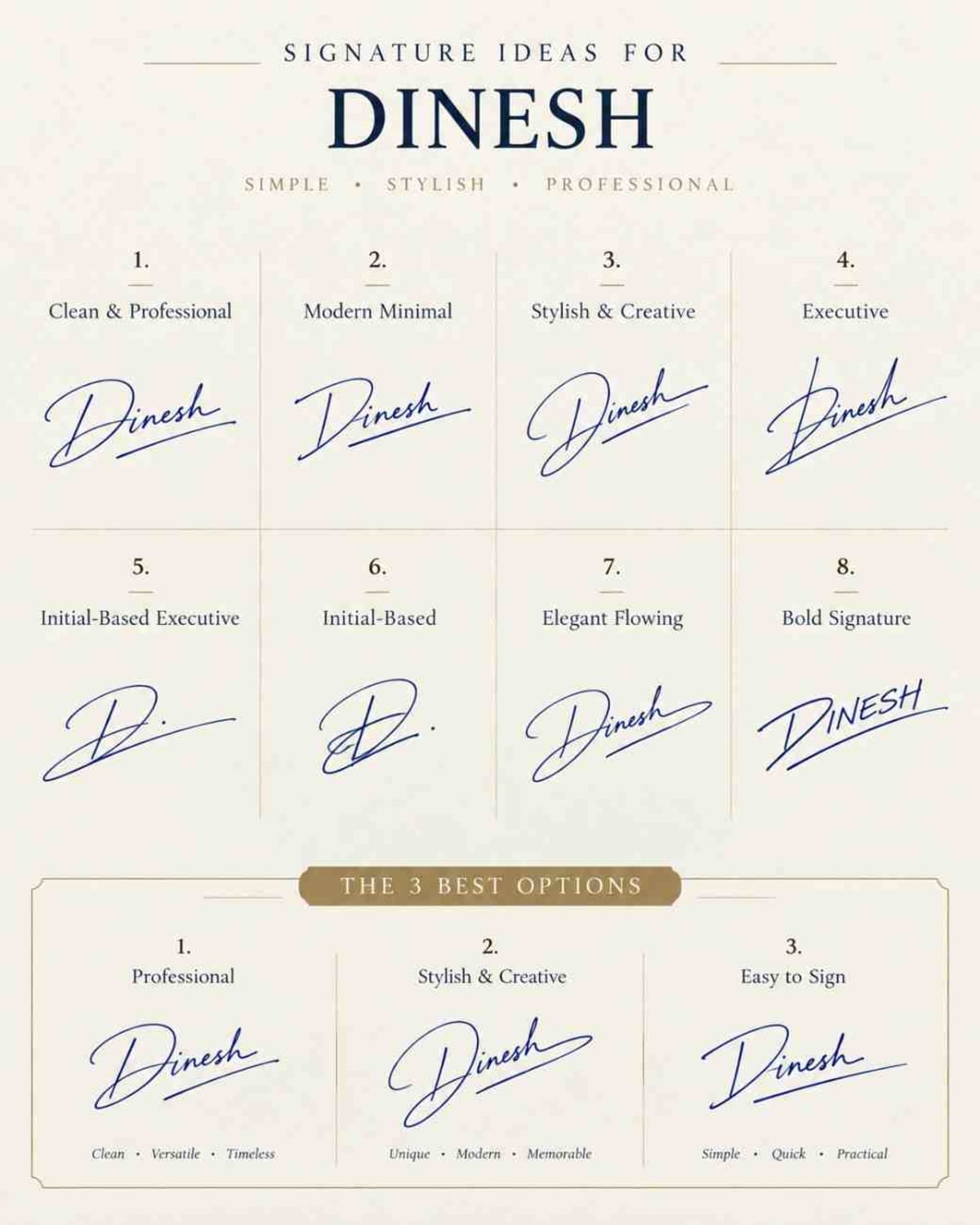
Prompt Text
Ready to copy & executeCreate a premium signature ideas sheet for "[Name]" with 8 unique
handwritten styles:
Clean & Professional
Modern Minimal
Stylish & Creative
Executive
Initial-Based Executive
Initial-Based
Elegant Flowing
Bold Signature
Use realistic blue/black ink, natural pen strokes, stylish flourishes, professional and easy-to-reproduce designs. Arrange in a clean 4x2 grid with numbered labels. Add a bottom section "THE 3 BEST OPTIONS" showing Professional, Stylish & Easy to Sign.
White/off-white luxury background, elegant typography, minimal premium stationery aesthetic, clean spacing, high resolution, portrait 4:5.
Keep name spelling exactly correct.
No misspellings, random text, clutter or watermarks.Introduction
This prompt guides ChatGPT in generating a comprehensive signature ideas sheet containing eight distinct handwritten styles for a given name. It specifies visual presentation details such as ink color, grid layout, and a curated selection of the top three best options at the bottom.
Prompt Details
Concept & Creative Objective
The creative goal is to produce a well-organized, high-resolution visual layout of multiple signature variations ranging from clean and professional to bold and elegant.
Why This Prompt Works
The prompt works by clearly categorizing the eight requested signature styles, specifying realistic ink colors and pen strokes, and demanding a structured 4x2 grid layout with numbered labels for easy comparison.
Prompt Breakdown
The prompt requires the inclusion of a specific name, eight designated style categories, a bottom section highlighting the three best options, a luxury off-white background aesthetic, and strict adherence to correct name spelling without clutter or watermarks.
Instructions
Customization Tips
Replace the placeholder "[Name]" with your actual name or initials to generate customized signature variations.
Generation Best Practices
Ensure the target AI tool supports image generation capabilities or use the text layout as a structural guide if paired with graphic design workflows.
Help & Answers
Frequently Asked Questions
Open ChatGPT, paste the signature design prompt, replace [Name] with your name, and ask it to generate eight unique handwritten signature styles.