
Google Gemini FPV Drone Prompt: Create Cinematic AI Drone Videos Like a Professional (2026)
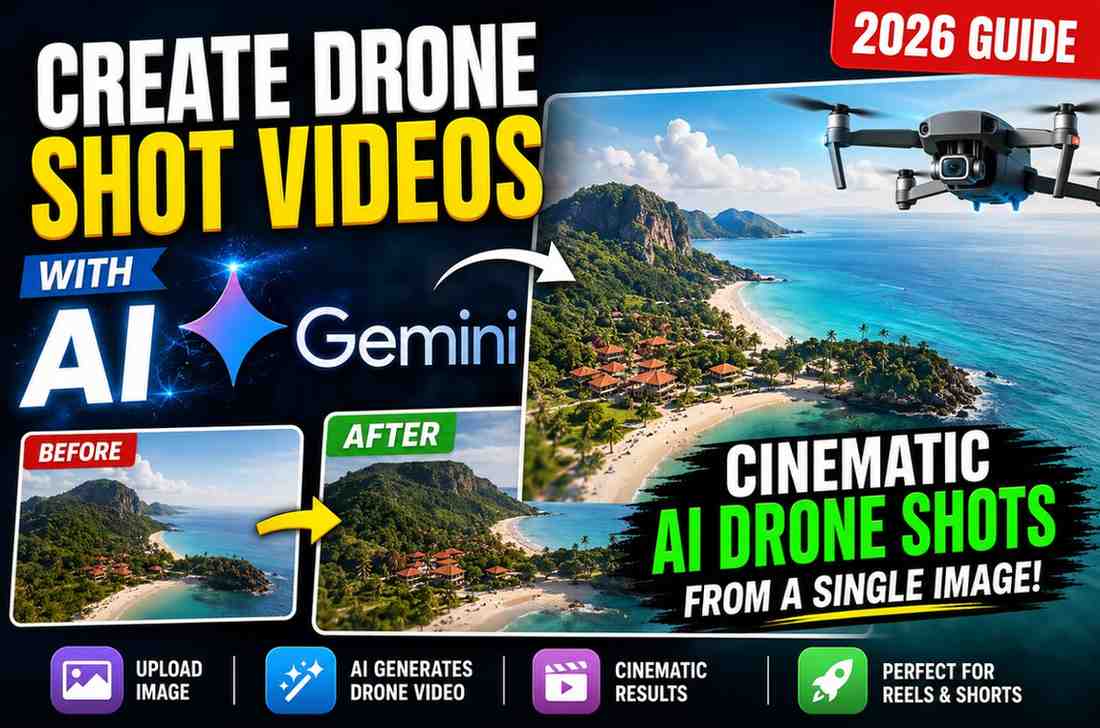
Google Gemini FPV Drone Prompt - Create Cinematic AI Drone Videos
Creating a first-person-view (FPV) drone video used to require an actual piece of equipment, a pilot's license, and good weather - and now with Google Gemini and this prompt, you can create a realistic FPV flight using a reference photo rather than a physical drone
What this Prompt Does
The standard Gemini request of "a drone video" results in disjointed, unrelated camera movements that have nothing to do with how a real FPV drone moves. This prompt solves this by creating two important distinctions: making the environment a fixed reference (buildings, roads, skyline, lighting, etc) based on your reference image so Gemini doesn't change it or invent new things, and specifying that the camera movement should be a continuous, physically realistic flight path that mimics the banking, acceleration, and deceleration of a real drone rather than unrelated camera positions
What You'll Need
A clear photo of the location you want to "fly" through (buildings, skyline, landmark, etc)
Optionally, a second image with a rough storyboard or route drawn on it with arrows, numbering, or other checkpoints to define your desired flight path
Access to Gemini's image-to-video generation
Without a storyboard image, the prompt will still work with just the reference photo but you have less control over the exact route the camera takes
The Prompt
✨ AI PromptUse @img as the master visual reference for the entire video. Preserve the exact environment, skyline, building positions, architecture, roads, lighting, atmosphere, colors, perspective, scale, and composition. Do not modify the environment or introduce new buildings or landmarks. Use ONLY as a storyboard and camera choreography reference. The route lines, arrows, numbered checkpoints, storyboard panels, text, diagrams, graphs, and all UI elements are planning guides only. They must NOT appear in the final video. Create a hyper-realistic cinematic FPV drone sequence lasting approximately 15 seconds. The entire sequence must be one continuous uninterrupted FPV drone shot from the first frame to the last. There must be no cuts, hidden transitions, camera resets, teleportation, disconnected movements, or abrupt viewpoint changes. Treat the route shown in as a continuous camera spline. Follow the camera path precisely, preserving every curve, banking turn, climb, descent, spiral, pullback, altitude change, and direction exactly as illustrated. Do not simplify the route, skip sections, reinterpret the movement, or create shortcuts. Every segment of the route must connect seamlessly to the next while maintaining realistic FPV drone momentum and continuous spatial orientation. Match the timing and progression demonstrated in the storyboard panels. Flight Sequence • Begin with a low-altitude entry through the foreground buildings. • Perform the sweeping approach around the foreground structures while maintaining strong forward momentum. • Accelerate toward the central subject exactly as shown. • Transition into a smooth vertical climb while staying close to the structure. • Continue into a single continuous spiral climb around the structure while maintaining upward momentum. • Pass above the highest point without stopping. • Transition into a wide pullback arc while continuing to gain altitude. • Finish with a dramatic wide aerial reveal matching the final storyboard composition. Camera style Professional FPV drone First-person perspective One continuous take Ultra-high-speed cinematic flight Physically accurate FPV drone movement Realistic inertia Continuous forward momentum Smooth banking during turns Natural acceleration and deceleration Stable horizon Strong foreground and background parallax Immersive sense of speed Continuous spatial continuity Visual Style Ultra-photorealistic Cinematic HDR 8K quality Realistic lighting Natural shadows Accurate reflections Atmospheric haze Highly detailed architecture Physically accurate scale Premium drone cinematography Critical Instructions The storyboard in 2 defines the exact camera choreography. The route line is a continuous camera trajectory, not a loose direction guide. Follow the storyboard timing and movement exactly. Maintain one uninterrupted continuous flight. Preserve the environment from @a5bc0487-d56e-45a1-aae3-524321b528001 exactly. Negative Prompt Do not render the route lines, arrows, numbered markers, storyboard panels, text, graphs, UI elements, overlays, watermarks, or guide marks. Do not duplicate buildings, distort architecture, change the environment, introduce AI artifacts, flickering, camera jumps,unrealistic motion, excessive fisheye distortion, or hidden cuts.
Make sure to replace @img with your uploaded reference photo when using this prompt in Gemini. If you're also using a storyboard image, be sure to upload it as well - this will define the "route" the camera takes through the shot
My Testing and Thoughts
The negative prompts section is more important than most - I had an example where Gemini added the arrows and numbering from the storyboard image as faint outlines in the final video after skipping the negative prompt section. Using a storyboard image with a defined route had a very noticeable impact on the quality and intention of the flight path compared to using just a reference image, as discussed in My Experience above - if you're able to draw a simple arrow route on your reference photo before uploading, it's worth including
Best Uses for This Prompt
Use cases include travel/tourism content creation, real-estate/luxury property videos, hotel/resort promotion, landmark/property reveals, YouTube intro sequences, and general cinematic social media content/video editing
Tips and Suggestions
Use a high-quality, well-lit reference photo with a defined foreground, middle ground, and background - this will provide the depth information Gemini needs to render parallax correctly in the final video
Give very specific instructions, especially for the flight path. The example prompt above specifies "accelerate toward the central subject" rather than the more general "fly toward the building."
Review and edit. If a part of the flight sequence isn't working, edit just that part of the flight-sequence bullet points rather than rewriting the entire prompt
Common Mistakes and Errors
Using a low-quality reference photo, skipping the negative prompts, and asking for unrealistic camera speed or fisheye distortion all tend to produce lower-quality results
FAQ
Do I need a storyboard image or will the reference photo suffice?
A reference photo will work, but a storyboard image with a defined route will give you significantly more control over the camera route, as discussed in My Experience above
Can I use this prompt for an interior space rather than a cityscape?
Yes - the environmental preservation instructions apply to interior spaces as well, just describe the flight sequence in relation to the interior space rather than buildings/skyline
Why does the prompt specifically say not to render the route lines?
Without that instruction, the arrows and checkpoint markers from the storyboard image could appear in the final video
How long should the generated video be?
This prompt is designed for roughly 15 seconds, which should be sufficient for an entry-climb-reveal flight without rushing the camera movement
Final Thoughts
The key distinction between an unimpressive AI-generated drone video and a realistic FPV drone flight is defining the environment as a reference image and specifying a continuous, physically realistic flight path rather than unrelated camera positions - this prompt covers both
Written by Dinesh - full-stack developer and content creator testing AI video prompts for practical applications

Continue Reading
